Nomid
Choosing an MDM for a Mixed Android and VR Fleet: Vendor Questions
A neutral buyer guide for IT leads running Android phones, tablets, rugged handhelds, kiosks and VR headsets: what to ask any MDM vendor, what a good answer looks like, a weighted scoring sheet and a pilot plan on real devices.
Table of Contents
If your estate includes Android phones, tablets, rugged handhelds or kiosks, and also a growing set of VR headsets for training or simulation, a generic MDM shortlist will not fit. Most evaluation templates assume laptops and knowledge-worker phones. Yours has to cover shared devices with no named user, kiosks bolted to walls, and headsets that need large content files before a training session can start.
Timing matters too. Meta has stopped selling Quest for Business, so organisations that built headset programmes on it now have to choose new hardware and, often, new management tooling. When the headset decision is open, the whole management layer is up for review. This guide does not rank vendors. It sets out the questions to put to any vendor, what a good answer looks like, a weighted scoring sheet, and a two-week pilot plan that gives you evidence to show your directors.
Introduction: The Operational Friction of Split Fleet Management
Mixed fleets often end up with two management stacks. Android devices sit in a corporate UEM or an Android-focused MDM, and headsets sit in a separate XR tool that a training team bought on its own. Each choice made sense when it was made. Together they create friction you can see every day:
- Two enrollment processes. Each has its own staging steps, credentials and documentation.
- Two audit trails. When an auditor asks who wiped a device, you have to check two systems and export two formats.
- Two admin role models. Offboarding an administrator means updating two consoles.
- Two renewal cycles. Each comes with its own contract terms, minimums and price negotiations.
- A helpdesk that has to know which console owns which device before it can start troubleshooting.
Consolidation is not automatically the right answer. Some fleets are better served by specialist tools. The first step, though, is to describe the fleet and leave the feature list for later. Android Enterprise defines distinct management modes, and the mode each device class needs will decide which vendor capabilities actually matter to you. Use a table like the one below as your inventory template before any demo is booked.
Device class | Ownership | Typical Android Enterprise mode | Typical use | Question it raises for vendors |
|---|---|---|---|---|
Frontline phones | Company-owned | Fully managed | Shift workers, field staff | Shared-device handling, app allow-lists |
Employee phones with work apps | Personal or company-owned with personal use | Work profile | Email, line-of-business apps | Separating work and personal data |
Tablets and kiosks | Company-owned | Dedicated device (single- or multi-app kiosk) | Check-in, signage, point of sale | Launcher control, exit protection, remote view |
Rugged handhelds | Company-owned | Fully managed or dedicated | Scanning, logistics, inventory | Bulk staging, update windows, battery visibility |
VR headsets | Company-owned | Depends on the headset OS and the vendor's support for that model | Training, simulation, onboarding | Exact supported models, content delivery, VR launcher |
Add two columns before you send anything out: the number of sites each class operates in, and who owns support for it (central IT, site IT, or a training team). Those two facts will decide your access-scoping and helpdesk requirements later.
The Evaluation Framework: 5 Areas to Interrogate During Vendor Demos
The five areas below map to the decisions directors usually challenge: will it cover our devices, how long will rollout take, what does daily operation cost, can we prove control to auditors, and what will it really cost. For each area, ask the vendor to demonstrate the answer rather than describe it.
1. Fleet Scope and Android Enterprise Architecture
Android Enterprise is Google's framework for managing Android devices at work. The Android Management API is Google's API that MDM vendors can build on. Vendors differ in which modes they support, which API they use, and how they handle headsets. Headsets run vendor-specific operating systems, so support has to be checked model by model. A general claim of "VR support" tells you nothing.
Question to ask | What a good answer looks like |
|---|---|
Which Android Enterprise management modes do you support, and on what technical basis? | Fully managed, work profile and dedicated device are all named. The vendor explains whether it uses the Android Management API or its own device policy app, and what that means for feature availability. |
Which headset models are supported today? | A list of exact model names, with the enrollment method for each. "Most VR headsets" is not an answer. |
Can phones, kiosks and headsets share one console, one set of groups and one reporting view? | A live demo showing both device types in the same asset list and filters. |
How are multiple sites represented? | Groups, allocation fields, map views and filters that match your site structure. |
What is shipping today and what is roadmap? | A clear separation between the two, with roadmap items confirmed in writing if they affect your decision. |
2. High-Throughput Enrollment and Staging
Rollout timelines usually slip at enrollment. Android has well-documented paths for this.
- Zero-touch enrollment. Devices bought from participating resellers are assigned to your organisation and enroll at first boot.
- Samsung Knox Mobile Enrollment. The equivalent path for Samsung hardware.
- QR code enrollment. Handled during device setup.
Headsets often need something else. A local or USB staging tool that can prepare several units at once can save a lot of time before a training cohort arrives.
Method | Fits | What to ask the vendor |
|---|---|---|
Zero-touch | New company-owned Android devices from participating resellers | Can configurations be assigned per site or device class? What happens if a device is reset in the field? |
Knox Mobile Enrollment | Samsung phones, tablets and rugged devices | How does a KME profile map to your policies and groups? |
QR code | Existing devices, small batches, devices that allow personal use | Can the QR code set company-owned versus personal-use-allowed? How are codes rotated or revoked? |
USB or desktop staging | Headsets, and batches that zero-touch does not cover | How many units can be staged at once? Does staging push Wi-Fi, device names, apps and content in the same pass? |
A good answer is a live enrollment from factory reset, on your own hardware, timed. A slide claiming fast deployment proves nothing about your rugged devices behind your firewall.
3. Day-2 Operations, Kiosks, and Content Distribution
Enrollment happens once per device. Day-2 operations run for the whole contract term, so this is where most of the operating cost sits.
Question to ask | What a good answer looks like |
|---|---|
How do we release a new app version to a pilot group before the whole fleet? | The vendor shows how app testing tracks (for example, managed Google Play closed testing for private apps) or group-based targeting limit a release to a subset of devices. |
Can we see what changed in a policy, who changed it, and roll it back? | A version history with author and timestamp, plus a revert step. If there is none, ask how they would recover from a bad policy pushed to 500 kiosks. |
How are single-app and multi-app kiosks configured, and how do staff exit them? | Kiosk mode with a custom launcher, controlled exit, and no exposed settings. |
How are large files (training videos, VR content) delivered? | Per-device delivery status, plus clear behaviour when a download or upload is interrupted. |
What does remote support look like for an unattended kiosk or headset? | Lock, reboot, screenshot and remote access, with confirmation of which plan includes each. |
Can frontline workers diagnose common problems without calling the helpdesk? | On-device diagnostics covering connectivity, required apps and permissions, with suggested fixes. |
Can a trainer see and control a room full of devices at once? | A live grid view with bulk lock, bulk app launch and screenshots. |
4. Security Posture and Audit Defensibility
Auditors usually ask four things:
- Are devices encrypted and hardened?
- Who can do what in the console?
- Who wiped that device, and when?
- Which integrations can read or change fleet data?
Regulations such as GDPR, Brazil's LGPD or HIPAA expect access control and logging. An MDM can produce evidence for those controls. Meeting the regulation remains your organisation's responsibility, and no MDM makes you compliant on its own.
Question to ask | What a good answer looks like |
|---|---|
Is there a fleet-wide security posture view? | Encryption, ADB, unknown sources and developer options, filterable by group and exportable. |
Is there a command audit trail? | For every lock, wipe or reboot: who issued it, when, against which device, and the result. |
Can admin access be scoped by site or policy? | Roles limited to specific groups or sites, SSO for console login, and fast offboarding. |
How are API keys permissioned? | Scoped keys (for example, read-only versus device commands), revocation, and usage visibility. |
If the console has AI features, what can they access and do? | Clear data boundaries, with any device-changing actions disabled by default and switched on explicitly. |
Where is data hosted, and who are the subprocessors? | Named cloud provider and region, plus a subprocessor list your DPO can review. |
5. Real Total Cost of Ownership (TCO) and Piloting Terms
The licence fee is only the visible part of the cost. On Android, moving a fully managed device from one MDM to another generally requires a factory reset and re-enrollment. That makes migration labour a real line item. Estimate it from your own pilot timings rather than vendor estimates.
Cost line | How to estimate it | Question for the vendor |
|---|---|---|
Licence | Devices × unit price × term, including any minimums | Per device or per user? Are headsets and kiosks priced the same as phones? Are there annual minimums? |
Migration | Devices × measured minutes per re-enrollment ÷ 60 × hourly cost | What staging tools exist for bulk re-enrollment, including headsets? |
Helpdesk | Monthly device tickets × average handling time | Which issues can workers fix on the device? Is remote access included or an add-on? |
Admin effort | Hours per week across all consoles you would run | Does one console cover all device classes, or will you run two? |
Integrations | Build and maintenance hours | Is the API included on your plan? How are keys scoped? |
Exit | Effort to export data and move again later | What export formats exist, and what notice period applies? |
Pricing models across the market generally fall into three groups: per device per month, per user, and tiered bundles with annual commitments. Ask every vendor for a written quote for your exact device mix. Published list prices rarely match what you will pay. For pilots, check whether a free tier or trial covers the capabilities you actually need to test.
For example, Nomid offers a free plan for up to 10 devices with no time limit. Remote access and the API are not included on the free plan, so if your pilot depends on those, agree the trial terms in writing first.

Platform Landscape: Assessing the Four MDM Architecture Models
Most products on a mixed-fleet shortlist follow one of four architecture models. Each is a sound choice for some fleets, and each leaves gaps for others. The descriptions below are general patterns. Check every vendor against its own documentation.
1. Traditional multi-OS UEM. Suites such as Microsoft Intune and Omnissa Workspace ONE manage Windows, macOS, iOS and Android from one platform.
- Strength: one tool across the whole corporate estate, with close ties to identity and productivity stacks.
- Ask about: depth of support for Android kiosks and rugged devices, support for your exact headset models, and licensing for shared devices with no named user.
2. Android-focused MDM. These are built specifically on Android Enterprise.
- Strength: depth on Android kiosks, rugged hardware and frontline workflows.
- Ask about: headset support. If it is missing, your headsets will need a second console.
3. Dedicated XR management. Platforms such as ArborXR and ManageXR describe themselves as device and content management for XR headsets.
- Strength: workflows designed around VR training, such as content libraries, launchers and session setup.
- Ask about: whether phones, tablets and kiosks can be managed in the same console, or need another tool.
4. Unified Android and headset management. One console for Android devices and specific headset models.
- Strength: one enrollment model, one audit trail and one admin team.
- Trade-off: a narrower platform scope (no Windows or iOS) and a headset list limited to named models.
Nomid follows this fourth model. It manages Android devices and the PICO 4 Enterprise and PICO Neo 3 from the same console. It does not manage Meta Quest, Android XR, iOS or Windows.
Treat third-party ratings with care too. For example, Nomid holds 4.7/5 from 17 ratings on Gartner Peer Insights (as of 2026-10-01). That is useful context, but it is a small sample. Weigh it below your own pilot results, and apply the same rule to every vendor. For side-by-side pages on specific products, see Nomid's comparisons hub, and check each claim against the vendor's own documentation.
The Verdict: Matching MDM Architecture to Fleet Composition
No single architecture fits every fleet. The right choice follows from the inventory table you built at the start.
Good Fit for Mixed Android and PICO Training Fleets: Unified Android and Headset Management
If your fleet is mostly frontline Android devices plus PICO headsets, and you have no requirement to manage laptops in the same tool, a unified console removes the second enrollment process, the second audit trail and the second renewal. Here is how Nomid maps to the framework questions:
- Enrollment: zero-touch, Knox Mobile Enrollment, QR code (company-owned or with personal use allowed), and a desktop USB tool that stages several Android devices or PICO headsets at once with Wi-Fi, naming, apps and content.
- Day-2 operations: Single- and multi-app kiosk, plus a VR launcher and VR environments. Managed Google Play, and private APK hosting in the Nomid Store with uploads that resume after interruptions. School mode with a live grid, bulk lock, bulk app launch and screenshots.
- Worker self-help: An on-device Check-up that workers can run. It checks assigned apps, connectivity to Nomid's servers and the required permissions, and offers fixes for failed items. The policy decides whether its button is shown.
- Audit and security: a security posture view (encryption, ADB, unknown sources, developer options), device command history, allocation history, SSO for console login, and scoped API keys. Nomid also offers an MCP server where device commands are opt-in.
- Hosting and support: Nomid is based in São Paulo and supports customers in Portuguese and English. Check how that fits your time zones. Nomid runs on AWS; ask for the hosting region and subprocessor list, as you would with any vendor.
There are also clear limits:
- If you depend on Meta Quest or Android XR headsets, or need iOS or Windows in the same console, this model does not fit.
- If you need policy version history, rollback or site-scoped admin roles, ask Nomid to demonstrate them on your pilot, as you would with any vendor.
Good Fit for Knowledge-Worker Corporate IT (Windows + Mobile): Traditional UEM
If most of your endpoints are laptops and knowledge-worker phones, and headsets are a small side programme, a multi-OS UEM keeps identity, compliance and app delivery in one place. Test two things before committing: kiosk and rugged-device depth on your actual hardware, and whether your exact headset models are supported. If headsets are not supported, budget for a second tool.
Good Fit for XR-Exclusive Simulation Centres: Dedicated XR Management
A simulation centre that runs only headsets, with a large content library and frequent session changes, may find a dedicated XR platform's content workflows worth the narrower scope. Confirm which headset models it supports and how it handles content updates over limited bandwidth.
The 2-Week Pilot Blueprint: Defending the Decision to Directors
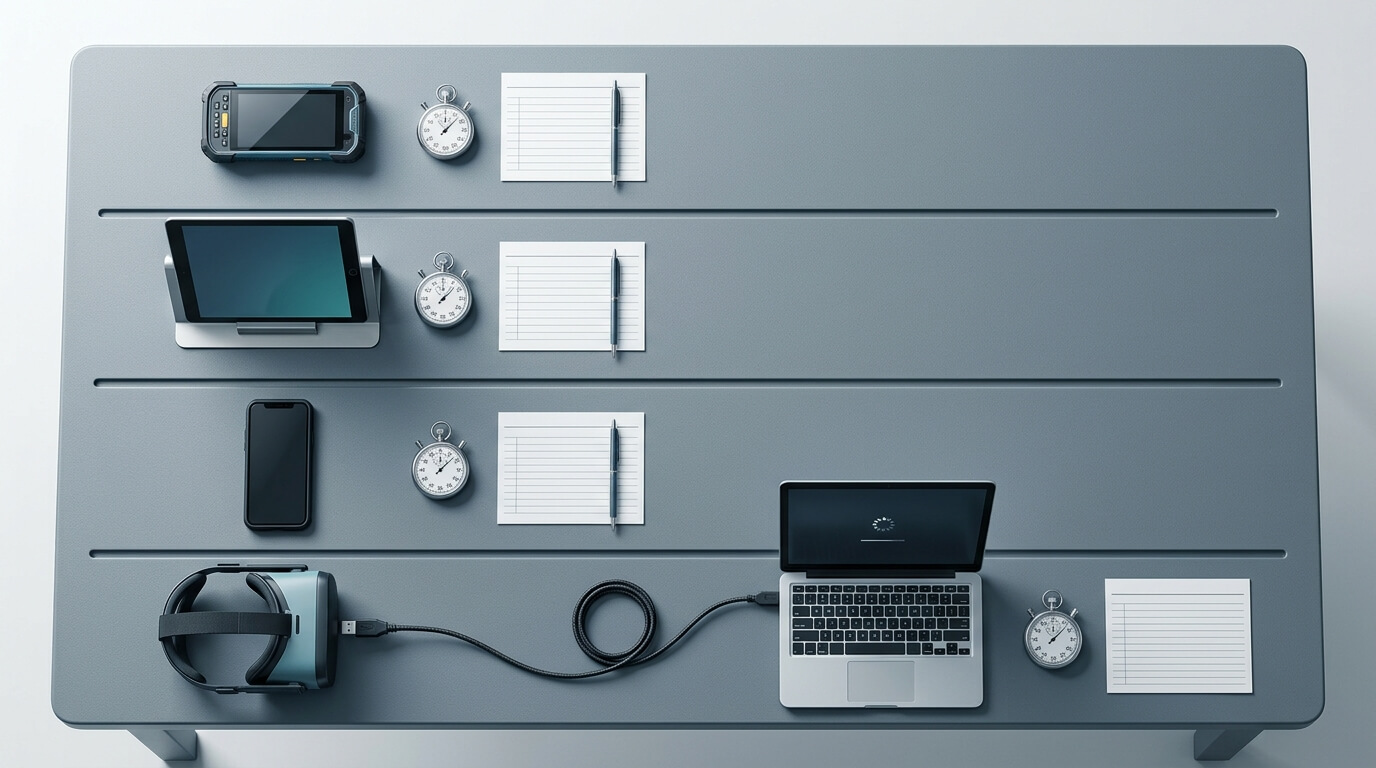
Score every shortlisted vendor on the same sheet. Rate each criterion from 1 to 5, multiply by its weight, add the results and divide by 100. The maximum is 5.0. Adjust the weights to your fleet, but fix them before the first demo so the scoring cannot be bent toward a favourite.
Criterion | Suggested weight | Earns a 5 | Earns a 1 |
|---|---|---|---|
Fleet scope fit | 25 | Every device class and exact headset model managed in one console | Key device classes need another tool |
Enrollment and staging | 20 | Every path works on your hardware, with timings measured | Manual steps on every device |
Day-2 operations | 20 | Kiosk, content, remote support and staged releases all demonstrated | Gaps covered with workarounds |
Security and audit | 20 | Posture, command trail and scoped access exported as evidence | No exportable evidence |
TCO and terms | 15 | Written quote for your mix, clear exit terms | Hidden add-ons, unclear minimums |
Then run the pilot on real devices, ideally at least one unit of each device class from at least two sites:
Days | Activity | Evidence to capture |
|---|---|---|
1–2 | Set up admin accounts and SSO; build groups by site and device class | Screenshots of the role and group structure |
3–4 | Enroll from factory reset through every path you plan to use, including headset staging | Minutes per device, by method |
5–7 | Push policies, kiosks, apps and a large VR content file; break a policy on purpose and recover | Delivery status, recovery steps and time taken |
8–9 | Run simulated helpdesk tickets, remote actions and worker self-diagnosis | Handling time per ticket |
10 | Export security posture and command history; test API key scopes | Audit evidence pack |
11–12 | Feed the measured times into the TCO table | Three-year cost per vendor |
13–14 | Score each vendor and write a one-page summary for directors | Weighted scores, risks and exit plan |
Directors rarely dispute measured numbers from your own devices. They do dispute vendor slides. The one-page summary should show the weighted score, the measured enrollment and support times, the three-year cost, and the top three risks with how you would mitigate each.
Key Takeaways and Next Steps
- Start with the fleet. Device classes, management modes, sites and exact headset models decide which features matter.
- Make vendors show, not tell. Use timed enrollment from factory reset, a deliberate policy rollback, and exported audit evidence.
- Price the whole lifecycle. Migration labour, helpdesk time and the cost of running two consoles often outweigh the difference in licence fees.
- Fix the scoring weights before demos, and settle the decision with a two-week pilot on real devices.
- If you are leaving Quest for Business, confirm the replacement headset model first, then choose the management layer that supports it alongside your Android fleet.
If your fleet combines Android devices with PICO 4 Enterprise or PICO Neo 3 headsets, put Nomid through the same scoring sheet as your other shortlisted vendors. The free plan covers up to 10 devices with no time limit, which is enough to test enrollment, kiosks and the posture view on your own hardware. Nomid's blog also has an MDM pilot checklist and a guide to moving a Quest fleet to PICO, and its comparisons hub has side-by-side vendor pages. Whichever vendor you choose, base the decision on your own pilot evidence.
See the Nomid difference
Start free with up to 10 devices and see how Nomid MDM fits your Android fleet.
Start for FreeRelated Articles
View all posts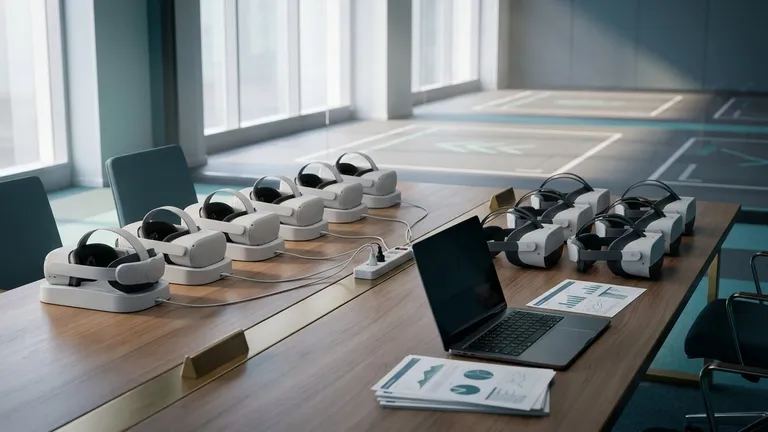
After Quest for Business: How to Move a VR Training Fleet to PICO
Meta stopped selling Horizon managed services and commercial Quest headsets in February 2026, with support committed until 4 January 2030. Here is how to decide whether to stay or move, inventory your apps and content, and pilot PICO headsets with evidence your directors can check.

Samsung Knox vs. Google Zero-Touch: Which Bulk Enrollment Method is Best for Logistics?
In the fast-paced world of modern logistics, the flow of goods is entirely dependent on the flow of data. From warehouse pickers scanning barcodes to long-haul drivers logging delivery confirmations, rugged mobile devices are the lifeblood of the supply chain. However, managing these critical IT ...