 Nomid
Operate with Nomid
A clearer way to run your fleet.
See what needs attention, find the device behind it, and use reported usage to understand the wider pattern—all in one workspace.
ONE WORKSPACE / THREE LEVELS OF CONTEXT
From the whole fleet to the device in your hand.
Operating a fleet means knowing when to zoom out and when to zoom in. Start with a signal, find its source, and decide what to do next.
Find the signal.
Read device status, enrollment activity, and policy distribution at a glance.
Explore the dashboard ↗Find the device.
Search and filter the inventory, then inspect the latest context reported by the device.
Explore device inventory ↗Understand the pattern.
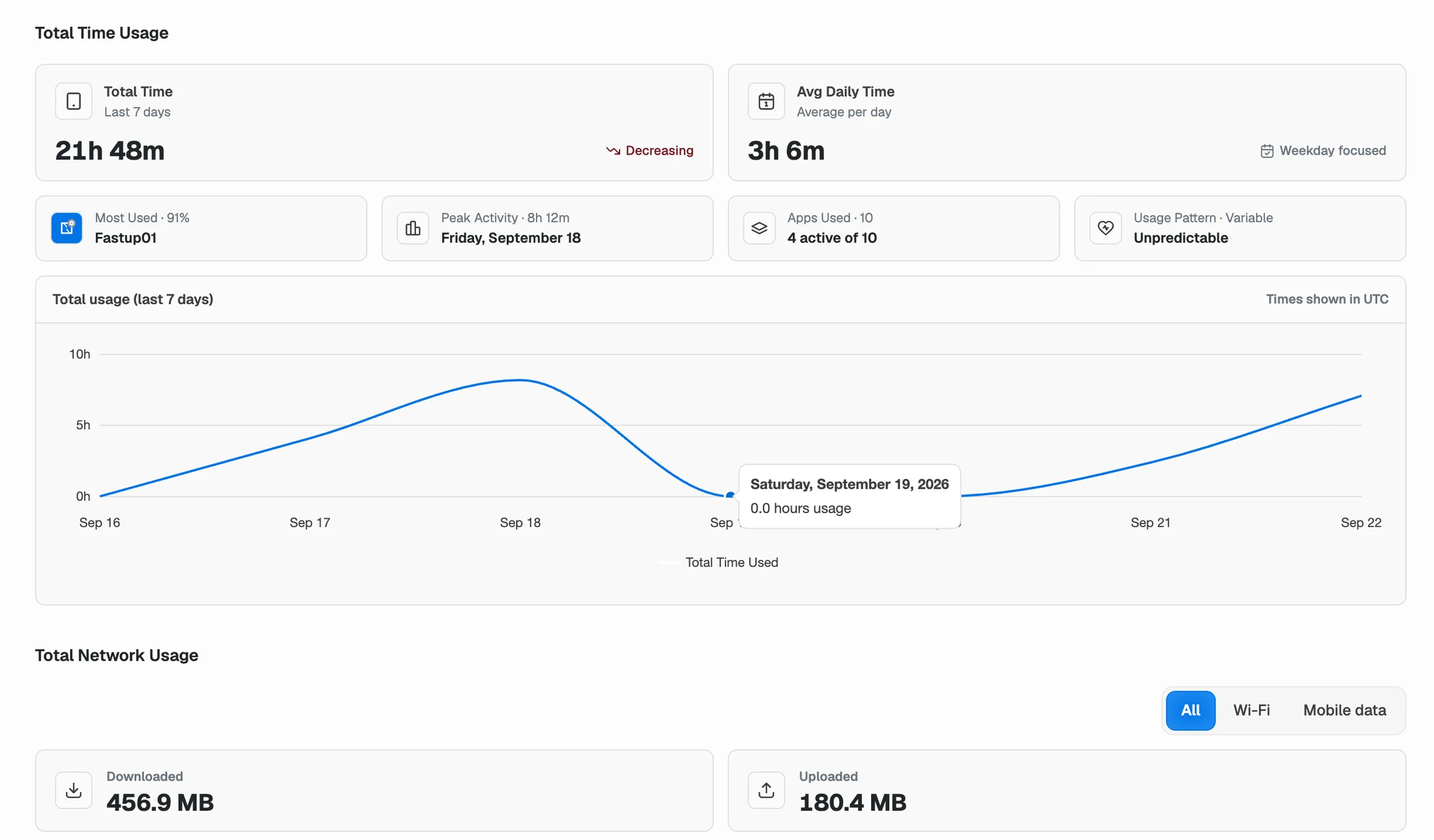
Use available app, screen-time, and network signals to add context.
Explore usage insights ↗THE PRACTICAL DETAILS
Questions before you begin.
Where should my team start each day?
The dashboard gives you a starting view of device status, enrollment movement, policy distribution, and available attention signals. From there, you can open supported drill-downs or search the inventory.
Can we go from a fleet signal to one device?
Supported dashboard cards can lead to a matching device list. Inventory search and filters also help narrow the fleet, and each device record shows the information it has reported.
Does Nomid show real-time state for every device?
The workspace reflects information received from managed devices. Offline devices or devices that have not synced recently can show older information; check the last reported state before acting.

Start with your
first device.
Explore Nomid with your own devices, or plan your deployment with our team.