 Nomid
NomidKnow the fleet shape.
See reported device state and find the group that needs attention.
◒Fleet overview
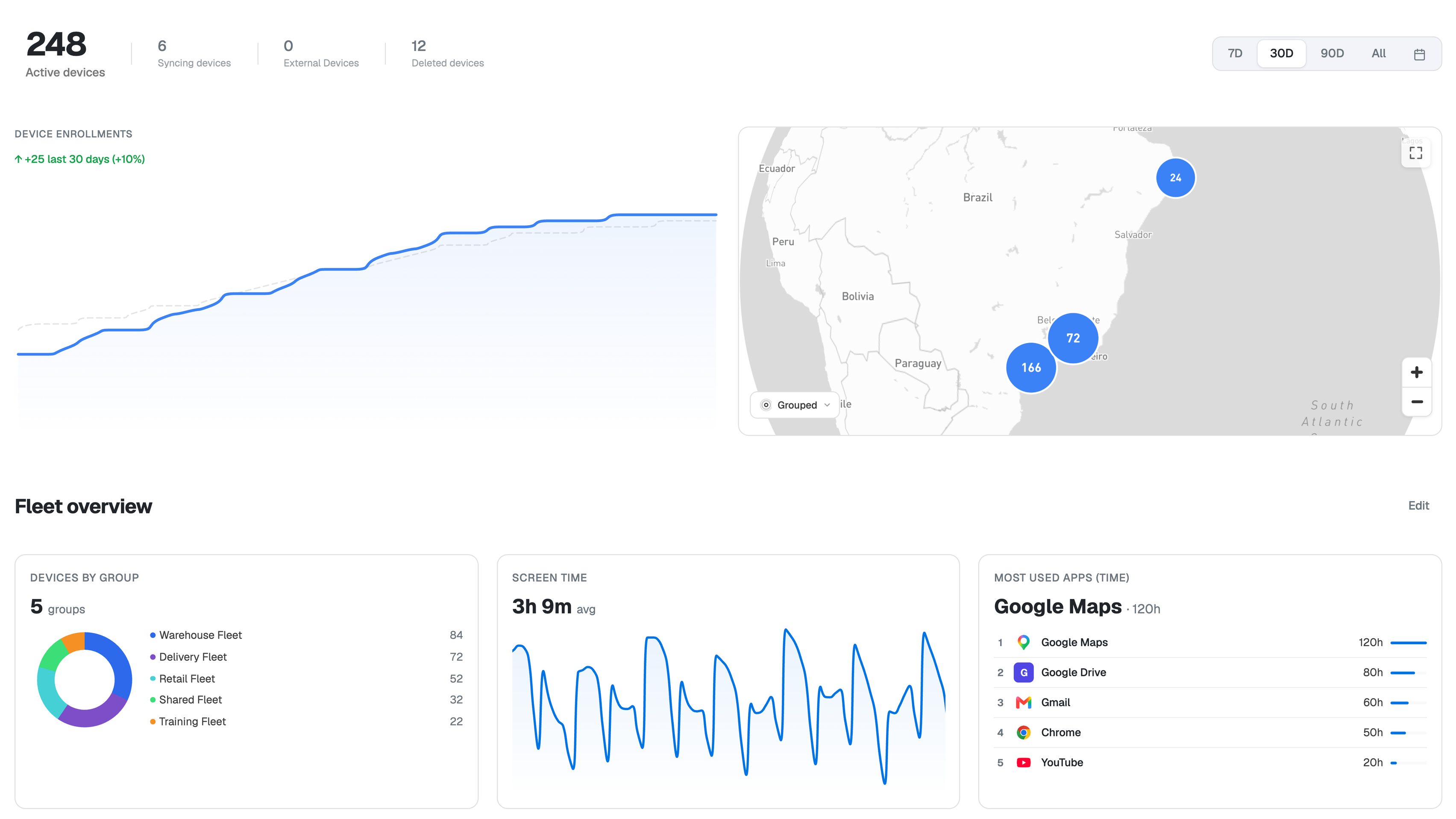
Start with device status, enrollment movement, and policy distribution. Follow the signals that matter down to the managed devices behind them.
Product film
Open the device map from the dashboard and zoom straight into a city.

ONE PLACE TO START
The best overview helps you ask the next question. Nomid connects summary cards to the devices and policies behind them.
See reported device state and find the group that needs attention.
◒Read device enrollment activity over time, with the underlying data in context.
↗Understand how devices are divided across assigned policies.
▤WHEN A NUMBER NEEDS AN ANSWER
Open supported dashboard drill-downs to see which devices contribute to a status or card, then inspect the device that matters.
Explore fleet inspectionTHE PRACTICAL DETAILS
The Portal has device status and enrollment views, policy distribution, and configurable cards for available usage and attention signals. Empty cards explain when a company has not reported the relevant data.
Supported status and dashboard cards lead to a drill-down view of the matching devices. You can then inspect a device in more detail.
It reflects information received by Nomid. A device that is offline or has not reported usage recently may show older information, so check its last reported state before taking action.
Explore Nomid with your own devices, or plan your deployment with our team.
