 Nomid
NomidBest MDM software in 2026
Ten MDM platforms. Start with the right fit for your fleet.
Written by Nomid MDMSources checked
Find your best fit.
The short answer, before the deep dive.
We are Nomid, one of the vendors below. These picks use official documentation; we have not tested the platforms side by side.
Choose Nomid
Enrollment, kiosks and AI-assisted operations in one Android-focused workspace.
Need Apple or Windows too? Choose a broader platform.
Read our take Apple + AndroidChoose Scalefusion

Bring mobile platforms together with room for desktop devices.
Check that your required controls work on every OS.
Read our take Apple onlyChoose Jamf Pro

Specialist management for Mac, iPhone and iPad fleets.
Apple only. Choose another platform for Android.
Read our take Full UEMChoose Hexnode

One place for mobile, desktop and dedicated-device management.
Desktop and remote-control features depend on the tier.
Read our takePlatform support and features vary by model, enrollment and plan. Our methodology.
Need a more specific shortlist?
Choose your fleet and the job that matters most. Get three platforms to compare. Your choices stay in this page.
Start with these three
For Android kiosks, start by comparing policy setup, app delivery and recovery on your actual hardware.
- Start hereNomid MDMChoose it whenA focused starting point for Android enrollment, app delivery and kiosk policies. Evaluate AI-assisted policy drafting with your own app requirements.Explore this platform
Reconsider if
Your required multi-app kiosk fails on a representative device, or remote access is essential but the paid entitlement is outside budget.
Check the official evidenceYour pilot question
Can your team enroll a representative Android device, deliver its apps, review an AI-drafted policy and complete the support workflow with the intended technician permissions?
- Also compareHexnode UEMChoose it whenCompare it if your Android kiosks may grow into a wider device estate. Check the tier for your remote-support workflow.Explore this platform
Reconsider if
Your small Android kiosk fleet cannot justify the quoted UEM tier or license minimum for the controls it actually needs.
Check the official evidenceYour pilot question
Can your quoted tier deliver the intended kiosk on both device families and let the assigned technician perform the exact viewing or control session you need?
- Also compareScalefusionChoose it whenUseful when shared-device and kiosk operations sit alongside other endpoints. Test your app set and recovery path on the proposed plan.Explore this platform
Reconsider if
Your rollout is small or short-lived enough that annual billing and the ten-device minimum do not fit.
Check the official evidenceYour pilot question
Can you configure the production app set, update it, and recover a representative device using only the capabilities included in your proposed subscription?
For employee Android devices, compare work-profile management, identity integration and access-policy requirements.
- Start hereMicrosoft IntuneChoose it whenStart here if device compliance already feeds Microsoft Entra access decisions. Confirm Intune and Entra licensing for your ownership model.Explore this platform
Reconsider if
Your intended Android work apps do not support app-protection policy, or the required Entra P1/P2 license is unbudgeted.
Check the official evidenceYour pilot question
Can a compliant Windows laptop and an unenrolled personal iPhone each reach the intended work apps, while a deliberately noncompliant test device is denied?
- Also compareIBM MaaS360Choose it whenCompare mobile app and threat-management workflows. Confirm the Android enrollment modes and security services included in the quote.Explore this platform
Reconsider if
Your access decision needs an Android threat signal absent from the licensed service or unsupported in your device mode.
Check the official evidenceYour pilot question
On the exact iOS, Android, and rugged models you own, can the pilot distribute required apps and detect the mobile threats your security team prioritizes?
- Also compareHexnode UEMChoose it whenEvaluate company-owned Android management within a broader UEM. Validate your required identity integration and exact access-policy workflow.Explore this platform
Reconsider if
Your Microsoft Entra access decision requires an Android compliance signal that the proposed Hexnode integration cannot deliver in a pilot.
Check the official evidenceYour pilot question
Can your quoted tier deliver the intended kiosk on both device families and let the assigned technician perform the exact viewing or control session you need?

Start with Nomid for everyday Android operations and AI assistance. Add SOTI for rugged-device maintenance and Esper for desired-state deployment.
- Start hereNomid MDMChoose it whenStart with everyday Android fleet support, device search and AI-assisted policy drafts. Test remote access on your exact hardware.Explore this platform
Reconsider if
Your support team needs unattended screen control that the intended Android model, technician permissions or paid plan cannot provide.
Check the official evidenceYour pilot question
Can your team enroll a representative Android device, deliver its apps, review an AI-drafted policy and complete the support workflow with the intended technician permissions?
- Also compareSOTI MobiControlChoose it whenAdd it when rugged hardware, firmware maintenance or field diagnostics drive the purchase. Ask how MobiControl and XSight are licensed together.Explore this platform
Reconsider if
Your field recovery needs remote diagnostics that XSight, the device model or quoted service level cannot provide.
Check the official evidenceYour pilot question
Can the intended technician diagnose your actual rugged device, recover the work app and complete an approved firmware-maintenance workflow under the quoted products and support level?
- Also compareEsperChoose it whenCompare it when repeatable deployment and configuration drift are your main concerns. Test blueprints and recovery on a representative device.Explore this platform
Reconsider if
Your blueprint cannot restore the intended app state after drift on the exact hardware and subscription proposed.
Check the official evidenceYour pilot question
Can you apply a blueprint, detect a deliberate configuration drift and restore the intended app state on the exact hardware and plan proposed for production?


For dedicated Apple devices, compare supervised enrollment and the exact kiosk or app restrictions supported on each device type.
- Start hereJamf ProChoose it whenStart with Apple-specific enrollment, app distribution and supervised-device workflows. Validate restrictions on the exact Apple device you will deploy.Explore this platform
Reconsider if
Your kiosk rollout will soon include Android, or Apple supervision and app restrictions do not work on the exact devices.
Check the official evidenceYour pilot question
Can your Apple Business Manager enrollment, app assignment, Smart Group targeting, and required security settings complete on one Mac and one iPhone without user intervention?
- Also compareHexnode UEMChoose it whenCompare it if dedicated Apple devices will share a console with other operating systems. Check supervised kiosk requirements and the proposed tier.Explore this platform
Reconsider if
Your required iPad multi-app or web-app layout cannot be reproduced under Apple supervision and the quoted tier.
Check the official evidenceYour pilot question
Can your quoted tier deliver the intended kiosk on both device families and let the assigned technician perform the exact viewing or control session you need?
- Also compareScalefusionChoose it whenConsider it when the kiosk rollout will later include Android or desktops. Reproduce your iPad restrictions rather than assuming Android feature parity.Explore this platform
Reconsider if
Your all-Apple rollout cannot justify the annual minimum or does not reproduce the required supervised kiosk behavior.
Check the official evidenceYour pilot question
Can you configure the production app set, update it, and recover a representative device using only the capabilities included in your proposed subscription?
For employee Apple devices, compare Apple management depth with the value of your existing Microsoft or endpoint stack.
- Start hereJamf ProChoose it whenPrioritize Apple management depth and Smart Groups. Confirm how it connects to the identity and security tools you already use.Explore this platform
Reconsider if
Your identity stack cannot use the Apple inventory or compliance information available from the proposed Jamf integration for the required access policy.
Check the official evidenceYour pilot question
Can your Apple Business Manager enrollment, app assignment, Smart Group targeting, and required security settings complete on one Mac and one iPhone without user intervention?
- Also compareMicrosoft IntuneChoose it whenEvaluate it if Microsoft Entra compliance and your existing Microsoft licenses shape the decision. Check Apple policy coverage and plan requirements.Explore this platform
Reconsider if
Your personally owned iPhones cannot use the app-based access flow with the actual managed apps and required Entra license.
Check the official evidenceYour pilot question
Can a compliant Windows laptop and an unenrolled personal iPhone each reach the intended work apps, while a deliberately noncompliant test device is denied?
- Also compareIBM MaaS360Choose it whenCompare it for managed mobile apps and licensed security workflows. Verify Apple enrollment, application and threat-protection support separately.Explore this platform
Reconsider if
Your iOS threat signal, app deployment method or identity integration is unavailable under the quoted entitlement.
Check the official evidenceYour pilot question
On the exact iOS, Android, and rugged models you own, can the pilot distribute required apps and detect the mobile threats your security team prioritizes?
For Apple operations, compare enrollment automation, app deployment and remediation workflows. Remote control varies by platform.
- Start hereJamf ProChoose it whenStart with automated Apple enrollment, targeted app delivery and Smart Groups. Pilot your actual Mac, iPhone or iPad maintenance workflow.Explore this platform
Reconsider if
Your recovery workflow requires screen control or non-Apple endpoints that the selected Jamf product cannot cover.
Check the official evidenceYour pilot question
Can your Apple Business Manager enrollment, app assignment, Smart Group targeting, and required security settings complete on one Mac and one iPhone without user intervention?
- Also compareOmnissa Workspace ONE UEMChoose it whenCompare conditional app, profile and script workflows through Freestyle. Confirm platform, hosting and version prerequisites.Explore this platform
Reconsider if
Your representative Macs cannot run the needed Freestyle scripts under the proposed hosting, client version and macOS prerequisites.
Check the official evidenceYour pilot question
Can one conditional workflow provision and remediate your real Windows, macOS, and mobile test devices using the edition and hosting model you plan to buy?
- Also compareManageEngine Mobile Device Manager PlusChoose it whenEvaluate it when cloud versus on-premises hosting matters. Verify the chosen edition supports your Apple management tasks.Explore this platform
Reconsider if
Your selected cloud or on-premises edition cannot perform required Apple updates or remote support in the intended ownership mode.
Check the official evidenceYour pilot question
Can your chosen edition enroll one device from each target platform, silently deliver required apps, and enforce the intended kiosk mode in your hosting model?


Start with Scalefusion for Apple and Android devices. Compare Hexnode for broader UEM and ManageEngine for deployment flexibility.
- Start hereScalefusionChoose it whenStart with Android and Apple kiosks in one console, with room for desktops. Validate kiosk behavior separately on each operating system.Explore this platform
Reconsider if
Your required kiosk layout behaves differently on iPad and Android, or the annual minimum exceeds the planned fleet.
Check the official evidenceYour pilot question
Can you configure the production app set, update it, and recover a representative device using only the capabilities included in your proposed subscription?
- Also compareHexnode UEMChoose it whenCompare it for a wider UEM estate with dedicated devices. Map mobile kiosk, desktop and remote-support requirements to the quoted tier.Explore this platform
Reconsider if
Your remote support or desktop management need falls outside the platform features or quoted UEM tier.
Check the official evidenceYour pilot question
Can your quoted tier deliver the intended kiosk on both device families and let the assigned technician perform the exact viewing or control session you need?
- Also compareManageEngine Mobile Device Manager PlusChoose it whenConsider it when deployment flexibility is a requirement. Confirm cloud or on-premises support for each device and kiosk workflow.Explore this platform
Reconsider if
Your chosen deployment and edition cannot preserve required kiosk and app workflows across both device families.
Check the official evidenceYour pilot question
Can your chosen edition enroll one device from each target platform, silently deliver required apps, and enforce the intended kiosk mode in your hosting model?
For a mixed employee estate, compare identity integration, compliance enforcement and the editions needed for your full endpoint mix.
- Start hereMicrosoft IntuneChoose it whenStart with compliance tied to Microsoft Entra and existing Microsoft licensing. Check access-policy and app-protection coverage across your platforms.Explore this platform
Reconsider if
Your protected apps or target operating systems fall outside the tested Conditional Access design or licensed capabilities.
Check the official evidenceYour pilot question
Can a compliant Windows laptop and an unenrolled personal iPhone each reach the intended work apps, while a deliberately noncompliant test device is denied?
- Also compareOmnissa Workspace ONE UEMChoose it whenCompare cross-platform compliance and remediation workflows. Verify each OS and your deployment model rather than assuming one policy fits all.Explore this platform
Reconsider if
Your required compliance remedy is unavailable on one of the operating systems in the fleet.
Check the official evidenceYour pilot question
Can one conditional workflow provision and remediate your real Windows, macOS, and mobile test devices using the edition and hosting model you plan to buy?
- Also compareIBM MaaS360Choose it whenEvaluate mobile application and threat-management needs alongside desktop scope. Price the specific security services your users require.Explore this platform
Reconsider if
Your decision requires desktop threat enforcement, while the quoted defense service covers only your mobile devices.
Check the official evidenceYour pilot question
On the exact iOS, Android, and rugged models you own, can the pilot distribute required apps and detect the mobile threats your security team prioritizes?
For mixed fleet operations, compare orchestration, deployment choice and the full support workflow across your operating systems.
- Start hereOmnissa Workspace ONE UEMChoose it whenStart with conditional deployment and remediation across a mixed estate. Pilot your Freestyle workflows on each required platform.Explore this platform
Reconsider if
Your recovery flow needs a Freestyle action unsupported on a required OS or client version.
Check the official evidenceYour pilot question
Can one conditional workflow provision and remediate your real Windows, macOS, and mobile test devices using the edition and hosting model you plan to buy?
- Also compareManageEngine Mobile Device Manager PlusChoose it whenCompare it when hosting choice or existing ManageEngine tools matter. Test inventory, app delivery and device actions in the intended edition.Explore this platform
Reconsider if
Your app delivery or remote actions cannot be reproduced on every platform under the selected edition and hosting option.
Check the official evidenceYour pilot question
Can your chosen edition enroll one device from each target platform, silently deliver required apps, and enforce the intended kiosk mode in your hosting model?
- Also compareSOTI MobiControlChoose it whenAdd it when rugged endpoints and field maintenance are central. Confirm the support tools, exact device models and quoted entitlements.Explore this platform
Reconsider if
Your rugged devices are a small portion of the fleet and the complete MobiControl, XSight and service quote does not fit the broader endpoint budget.
Check the official evidenceYour pilot question
Can the intended technician diagnose your actual rugged device, recover the work app and complete an approved firmware-maintenance workflow under the quoted products and support level?
These are editorial suggestions. Confirm your exact devices, ownership modes and plan in a pilot.
Compare these three side by side in your spreadsheet. Record your exact devices, results and quote before choosing.
The MDM comparison, at a glance
Start with platform fit. Open a profile for the strengths, tradeoffs and questions to take into a demo.
On a small screen, scroll within the table to see all columns and rows. Platform names stay visible and link to detailed profiles and official sources.
| Platform | Shortlist it for | Platform scope | Key buying check |
|---|---|---|---|
| Nomid MDMOur product | Best for Android fleets | Android | Android focus; AI is in beta. Check remote-control hardware and plan. |
| Scalefusion | Best for Apple and Android together | Android, Apple, Windows, Linux, ChromeOS | Controls differ by OS. Check your quoted plan and device minimums. |
| Jamf Pro | Best for Apple-only fleets | Apple platforms | Apple-only management. Verify supervision and enrollment requirements. |
| Hexnode UEM | Best for broad UEM | Android, Apple, Windows and other supported endpoints | Desktop, Remote View and Remote Control sit in different tiers. |
| Microsoft Intune | Best for Microsoft-centered organizations | Android, Apple, Windows, Linux | Separate Intune Plan 1, Plan 2, Suite and Entra requirements. |
| SOTI MobiControl | Rugged devices and field operations | Android, iOS, macOS, Windows, Linux | Verify rugged hardware support and whether you also need XSight. |
| Esper | Desired-state deployment and dedicated-device operations | Android and other documented OS offerings | Confirm device prerequisites and the recovery path for failed changes. |
| IBM MaaS360 | Mobile fleets needing app and threat workflows | Android, iOS, macOS, Windows | Supported OS, enrollment mode and licensed security services differ. |
| Omnissa Workspace ONE UEM | Heterogeneous fleets needing conditional workflows | Android, Apple, Windows, ChromeOS, Linux | Confirm hosting, OS and version prerequisites for each workflow. |
| ManageEngine Mobile Device Manager Plus | Broad-platform fleets weighing cloud and on-premises | Android, Apple, Windows, ChromeOS; check edition | Compare cloud/on-premises deployment and edition-specific features. |
A closer look at the 10 platforms
What each product does best, what to check, and where to go next.
Jump to a platform
Best for Android fleets
Nomid MDM
- Choose it when
- Your Android dedicated-device fleet needs enrollment, kiosk policies, app delivery and daily support in one focused workflow. AI can draft policies for your review.
- Reconsider if
- Your purchase must also manage Apple or Windows devices, or beta AI availability and hardware-dependent remote access are essential from day one.
 Enlarge screenshot
 Android smartphones, tablets and dedicated devicesOur product
Why choose it
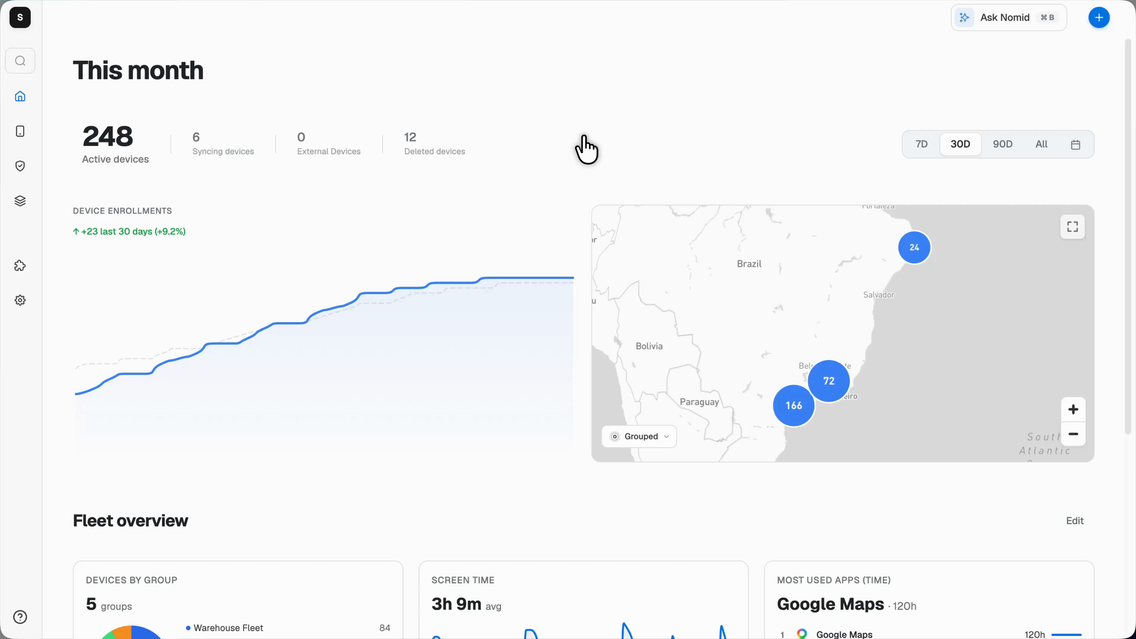
- Android enrollment, apps and kiosk policies in one workspace.
- Remote support and permitted device actions, with hardware-specific requirements.
- Ask Nomid, device search and Android policy drafts with AI.
Details, licensing and pilot question
Nomid is our first choice for teams whose work runs on Android. Enrollment, apps, kiosk policies and day-to-day support share one focused workspace. Its AI assistance helps you find devices, investigate their state and draft Android policies.
What to check
Choose a broader platform if you also need to manage Windows, Mac or iPhone fleets. Nomid AI is in beta; confirm workspace availability. Remote control depends on hardware, setup and permissions.
Use QR or zero-touch enrollment, assign apps and settings through policies, then inspect fleet state and take permitted device actions. Ask Nomid adds contextual guidance and natural-language device search. AI policy proposals are for Android and stay under your review before creation and assignment.
Before you buy
The public Free plan covers up to 10 devices and lists kiosk and single-app mode. Confirm multi-app and remote-control entitlements for the plan you will keep.
One question to settle in your demo
Can your team enroll a representative Android device, deliver its apps, review an AI-drafted policy and complete the support workflow with the intended technician permissions?
Best for Apple and Android together
Scalefusion
- Choose it when
- Your Apple and Android kiosks need a shared management starting point, with a possible path to employee or desktop endpoints.
- Reconsider if
- Your rollout scale or duration does not suit the annual commitment and device minimum, or platform-specific kiosk behavior misses a required control.
 Enlarge screenshot
 Android, iOS, Windows, macOS, Linux and ChromeOS; plan-dependent
Why choose it
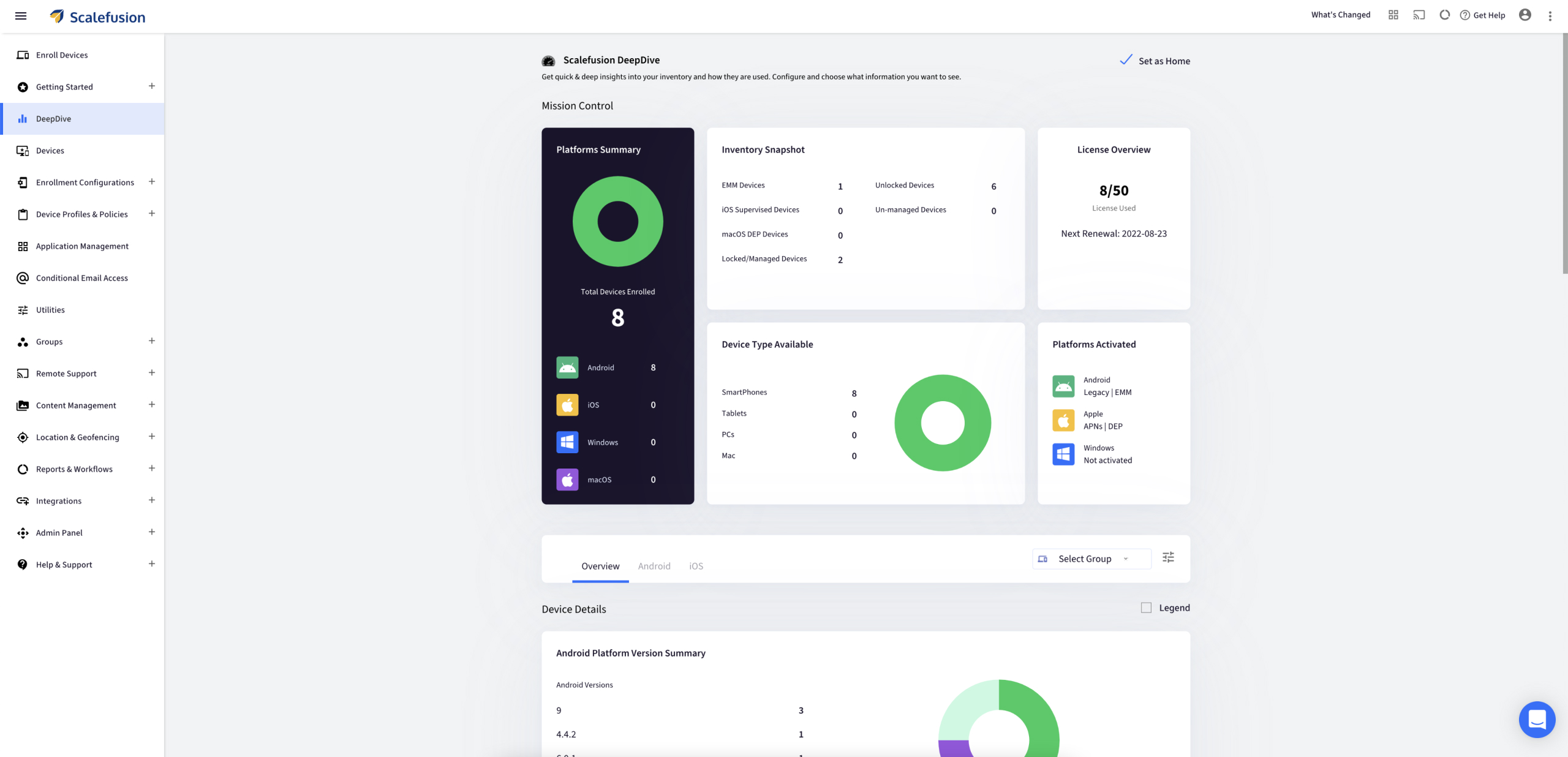
- Apple and Android management in the same console.
- Kiosk, app and shared-device workflows.
- Desktop support when the fleet expands beyond mobile.
Details, licensing and pilot question
Scalefusion is worth evaluating when a kiosk project is part of a wider endpoint-management requirement. Its UEM materials describe mobile devices, desktops and purpose-built endpoints under one management umbrella. Kiosk, app delivery and ongoing operational controls are central questions to test rather than reasons to assume every OS follows the same path.
What to check
Check supported controls for each enrollment mode and OS. A successful Android kiosk pilot does not establish that the same restrictions or remote session work on iPad or Windows.
The published kiosk offering separates an entry mobile scope from broader business capabilities. Map remote troubleshooting, shared devices, OEM configuration, workflows and desktop management against the proposed plan. This is especially useful when a small initial kiosk fleet will later sit alongside employee devices.
Before you buy
The kiosk plan page specifies annual billing and a device minimum. Confirm the current commitment and which tier includes your support, automation and endpoint requirements.
One question to settle in your demo
Can you configure the production app set, update it, and recover a representative device using only the capabilities included in your proposed subscription?
Sources & product details
Best for Apple-only fleets
Jamf Pro
- Choose it when
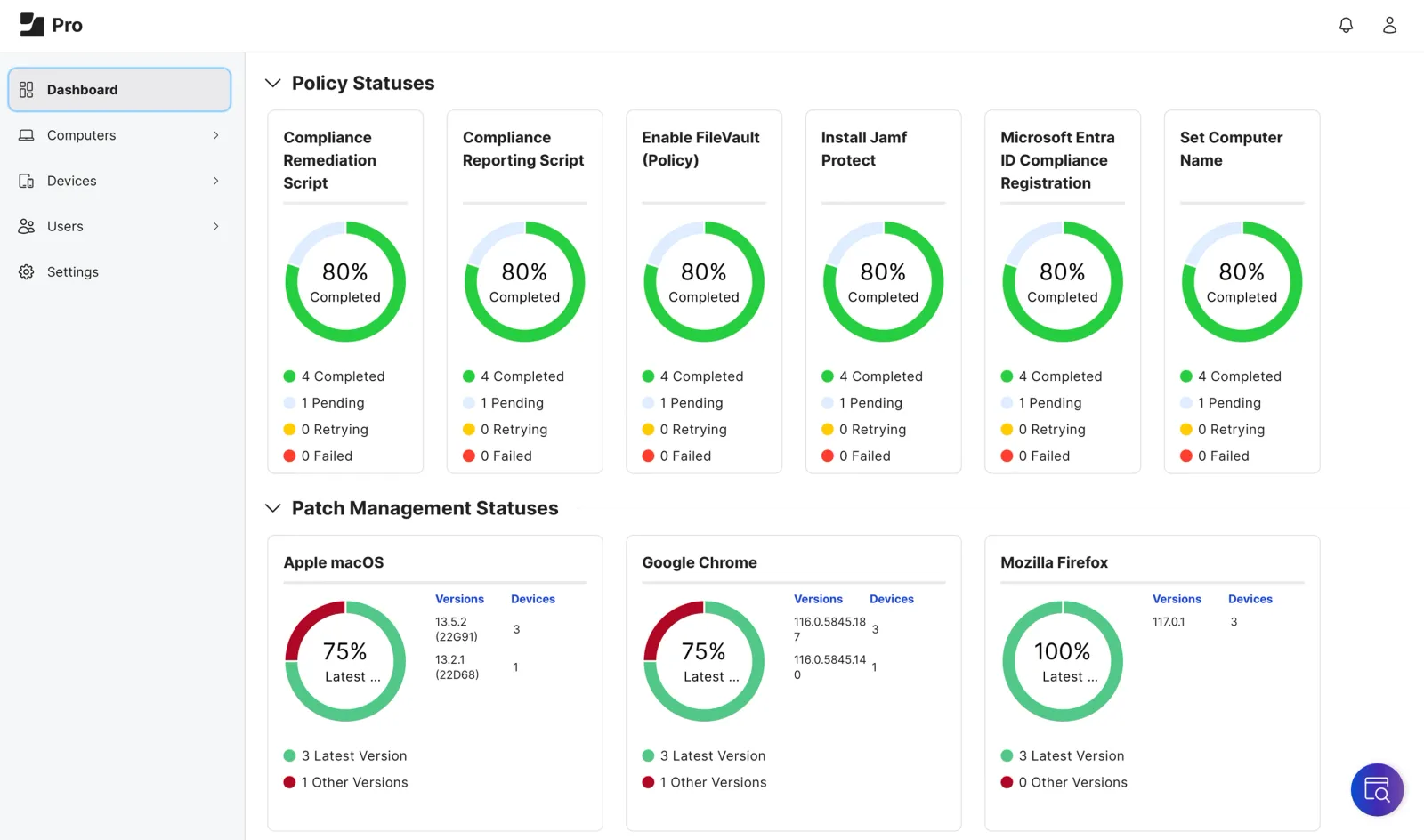
- Your Apple-only estate needs automated enrollment, targeted app distribution and Apple-specific management across Macs, iPhones or iPads.
- Reconsider if
- Your fleet also includes Android devices, or the quoted Jamf bundle and hosting model do not match your rollout.
 Enlarge screenshot
 Mac, iPhone, iPad, Apple TV and Apple Watch; capability depends on device and OS.
Why choose it
- Apple-specific enrollment and configuration workflows.
- Smart Groups for targeted apps and device policies.
- Integration with Apple Business Manager and Apple School Manager.
Details, licensing and pilot question
Jamf Pro focuses on managing Apple devices through Apple's management frameworks. It combines enrollment, configuration, inventory, app workflows, and remote security commands, with options for both institutionally owned and some personally owned Apple devices. Teams with Apple-specific requirements can evaluate its policy and automation model alongside their existing identity and security tools.
What to check
Jamf Pro is Apple-focused; Android support advertised for Jamf for Mobile should not be read as Jamf Pro platform coverage. Enrollment and management capabilities vary with ownership and OS version.
Organizations can connect Apple Business Manager or Apple School Manager for automated enrollment and app distribution. Smart Groups can target changing device populations, while declarative management lets compatible devices apply settings and report selected state changes asynchronously.
Before you buy
Jamf for Mac and Jamf for Mobile are separate offers that include Jamf Pro with other products and are cloud-only. Confirm the exact offer and hosting eligibility in the quote.
One question to settle in your demo
Can your Apple Business Manager enrollment, app assignment, Smart Group targeting, and required security settings complete on one Mac and one iPhone without user intervention?
Sources & product details
Best for broad UEM
Hexnode UEM
- Choose it when
- Your kiosk restrictions span several operating systems, and mobile, desktop and dedicated devices belong in a wider UEM evaluation.
- Reconsider if
- Your required kiosk layout or remote-control workflow is unavailable on the target platform, supervision mode or quoted edition.
 Enlarge screenshot
 Android, Apple platforms and Windows; feature-specific scope
Why choose it
- Mobile and desktop endpoints in a broad UEM platform.
- Single-app, multi-app and web kiosks where the OS supports them.
- Tiered management and remote-support options.
Details, licensing and pilot question
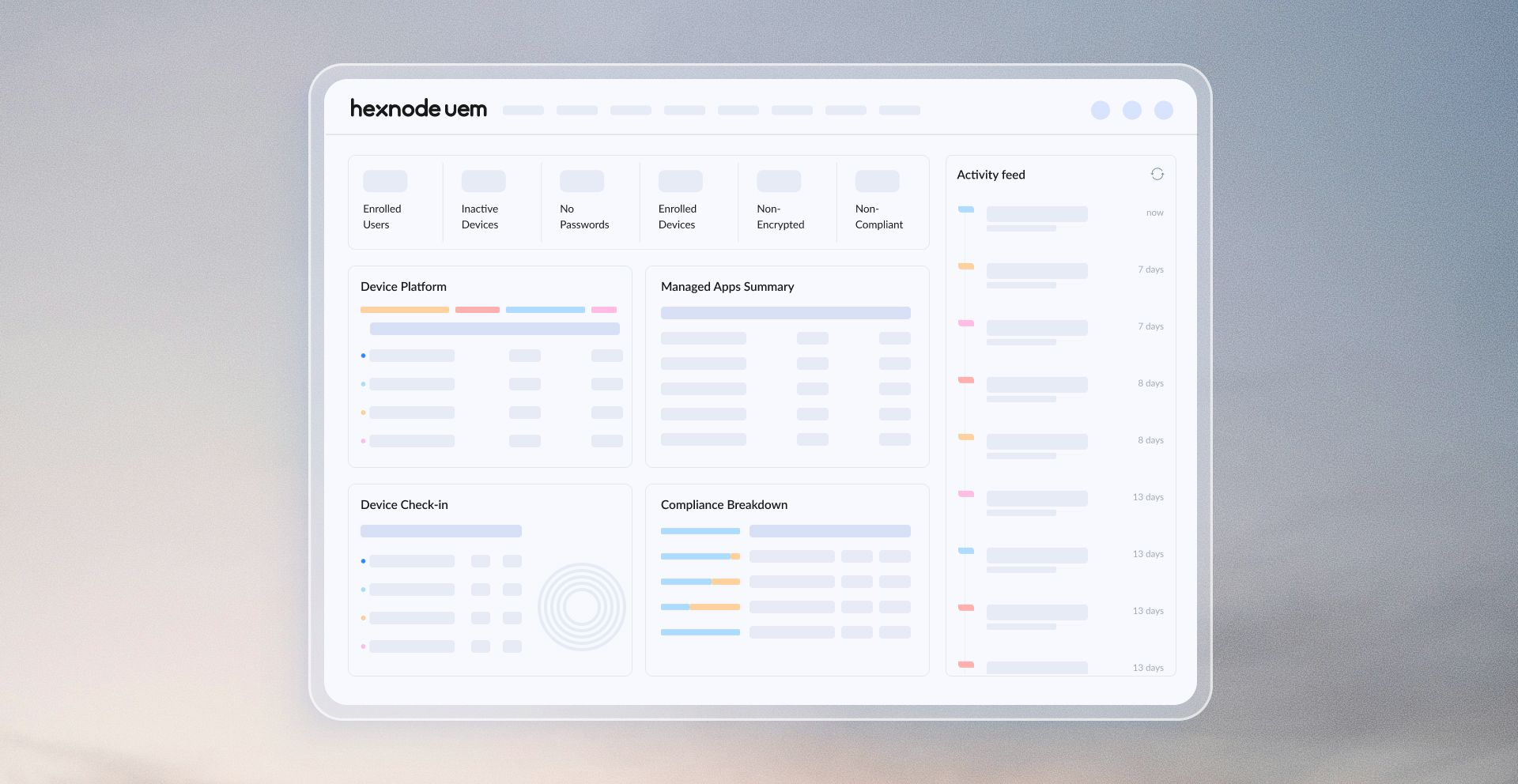
Hexnode belongs on a shortlist when dedicated-device restrictions matter but the estate extends beyond Android. Its kiosk documentation distinguishes Android, supervised Apple and Windows experiences, including single-app, multi-app or web-app options where the platform supports them. Compare the workflow on each operating system rather than treating kiosk mode as one interchangeable feature.
What to check
A broad platform list is not feature parity. Reproduce the required kiosk layout and support session on each device family, including supervision and enrollment prerequisites.
The pricing matrix separates mobile kiosk management from desktop management and more advanced operations. This helps a buyer map the actual work, mobile app deployment, viewing a screen, controlling a device or managing desktop apps, to the edition being purchased.
Before you buy
Remote View and Remote Control appear in different tiers, and desktop capabilities also vary. Check device minimums, technician seats and the edition available after the trial.
One question to settle in your demo
Can your quoted tier deliver the intended kiosk on both device families and let the assigned technician perform the exact viewing or control session you need?
Sources & product details
Best for Microsoft-centered organizations
Microsoft Intune
- Choose it when
- Your Microsoft Entra access decisions already use device compliance, and the employee fleet spans supported mobile and desktop platforms.
- Reconsider if
- Your required app protection, Conditional Access or advanced device features need licenses outside budget or miss target apps.
 Enlarge screenshot
 Android, iOS/iPadOS, Linux, macOS, and Windows; supported workloads vary by platform.
Why choose it
- Device compliance connected to Microsoft Entra.
- Mobile and desktop management across a Microsoft estate.
- App protection for supported work apps on personal devices.
Details, licensing and pilot question
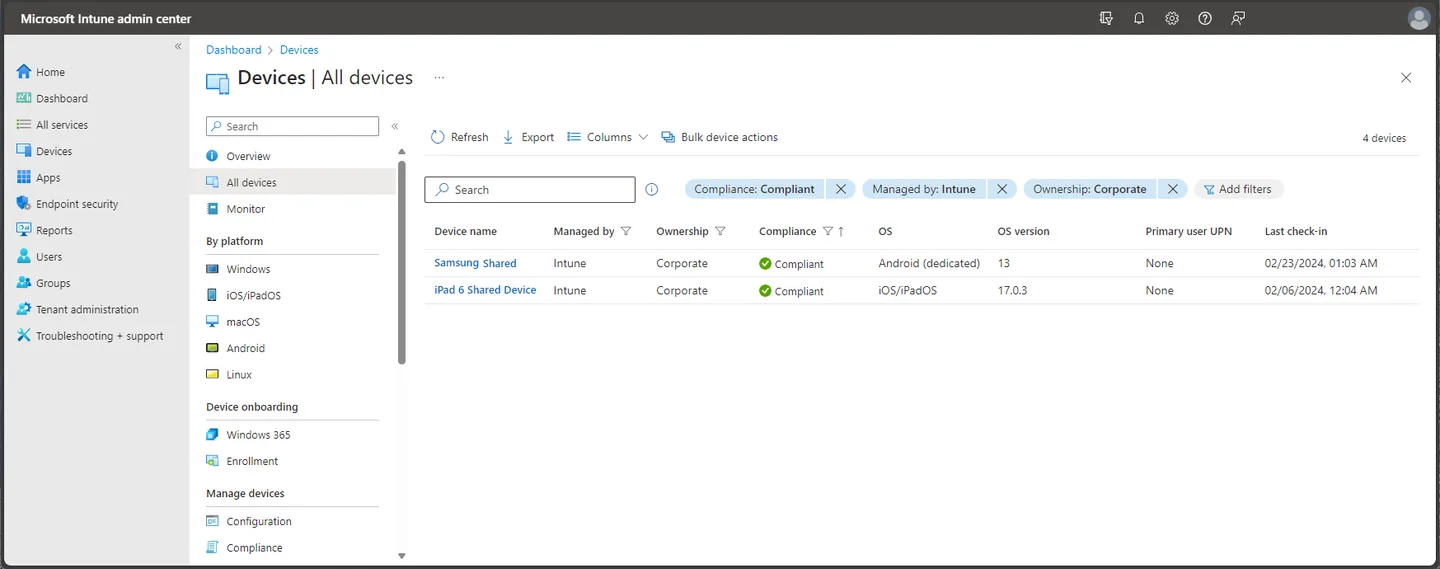
Intune combines device enrollment, configuration, security policy, app delivery, and lifecycle actions across Microsoft's supported endpoint platforms. It is a natural fit when device compliance already informs Microsoft Entra access decisions. Its management surface spans mobile and desktop, while exact policy coverage differs by operating system and management mode.
What to check
Policy support is not uniform across platforms, and app protection depends on supported apps and their integration. Validate each required control against the target OS, enrollment type, and app.
Administrators can enroll corporate or personal devices, apply configuration and compliance policies, deploy apps, and use compliance signals in Conditional Access. App protection policies also apply to supported managed apps on unenrolled personal devices, which can help separate work data from personal use.
Before you buy
Plan 1 is the base service; Plan 2 and the Intune Suite add capabilities. App-based Conditional Access also requires Microsoft Entra ID P1 or P2 licensing for users.
One question to settle in your demo
Can a compliant Windows laptop and an unenrolled personal iPhone each reach the intended work apps, while a deliberately noncompliant test device is denied?
Rugged devices and field operations
SOTI MobiControl
- Choose it when
- Your rugged or field fleet depends on maintaining actual devices, distributing apps and diagnosing incidents on supported hardware.
- Reconsider if
- Your exact models, firmware path and technician support workflow cannot be demonstrated with the quoted MobiControl, XSight and service entitlements.
 Enlarge screenshot
 Android, iOS, macOS, Windows and Linux; device-specific support
Why choose it
- Rugged-device and field-operation workflows.
- App delivery and device maintenance for supported hardware.
- Manufacturer-specific capabilities, including Zebra firmware tooling.
Details, licensing and pilot question
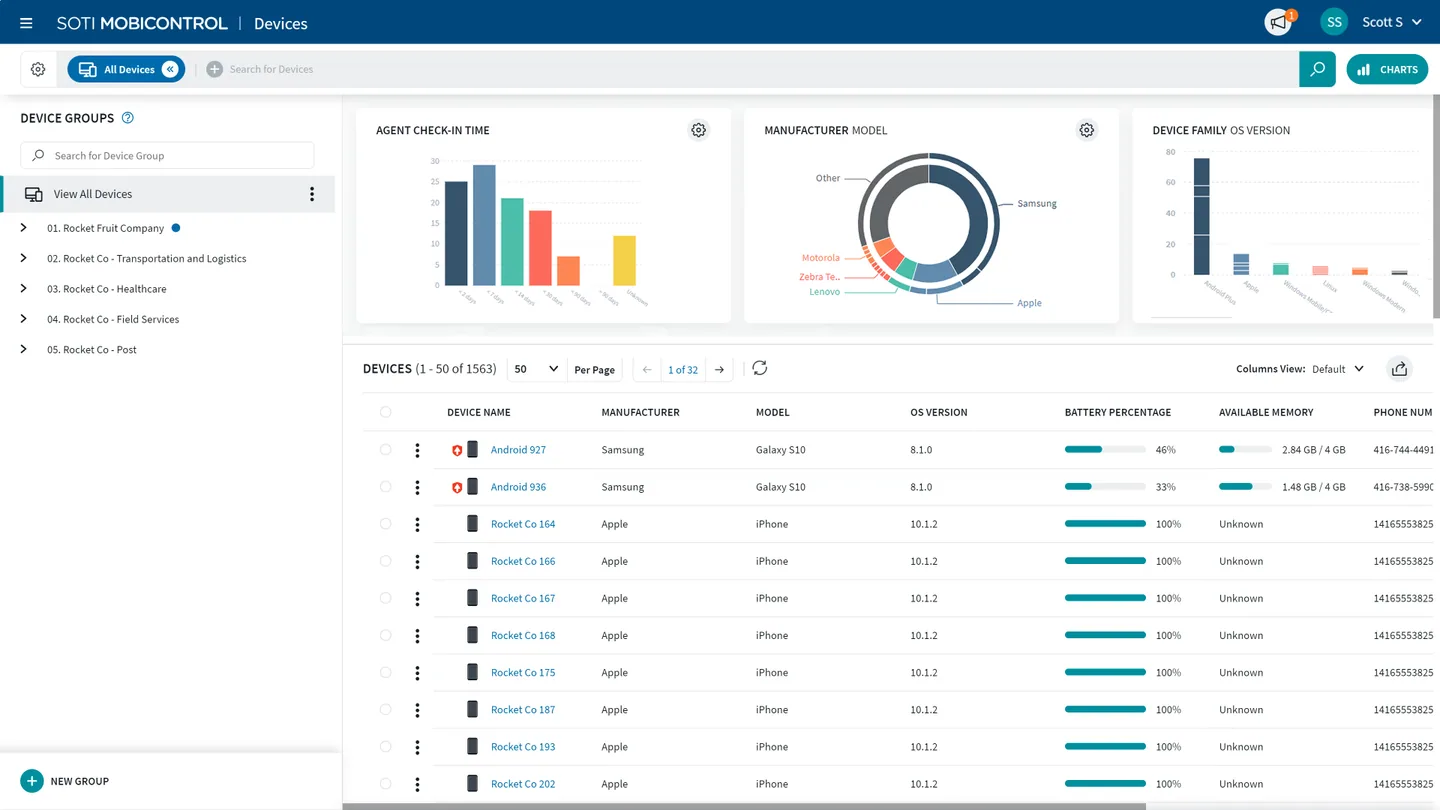
SOTI MobiControl is a relevant evaluation candidate for business-critical mobile operations: rugged handhelds, warehouse devices and field fleets. Its product material describes app and content delivery, enrollment, location and OS or firmware management. The emphasis is useful when the support and maintenance workflow matters as much as applying a restriction.
What to check
Rugged support is specific to manufacturer, model and OS. Validate your scanner, firmware path, peripherals and network constraints; do not generalize from a demonstration on different hardware.
SOTI documents capabilities such as Zebra firmware updates and data-distribution tools for remote sites. For troubleshooting, its current documentation points to SOTI XSight as the preferred remote-control solution. Ask for the complete support design rather than assuming a MobiControl purchase covers every diagnostic capability.
Before you buy
Request an itemized quote for MobiControl, the required remote-support tooling and service level. Some operational dashboards and services have separate eligibility requirements.
One question to settle in your demo
Can the intended technician diagnose your actual rugged device, recover the work app and complete an approved firmware-maintenance workflow under the quoted products and support level?
Sources & product details
Desired-state deployment and dedicated-device operations
Esper
- Choose it when
- Your repeatable dedicated-device deployment prioritizes blueprints, app state and recovery from configuration drift.
- Reconsider if
- Your target hardware or non-Android operating system cannot reproduce the required blueprint, update and recovery path in the proposed plan.
 Enlarge screenshot
 Android plus other documented OS offerings; confirm maturity and scope
Why choose it
- Blueprints that describe the desired device configuration.
- App deployment at device, group or fleet level.
- Convergence to bring supported devices back to their intended state.
Details, licensing and pilot question
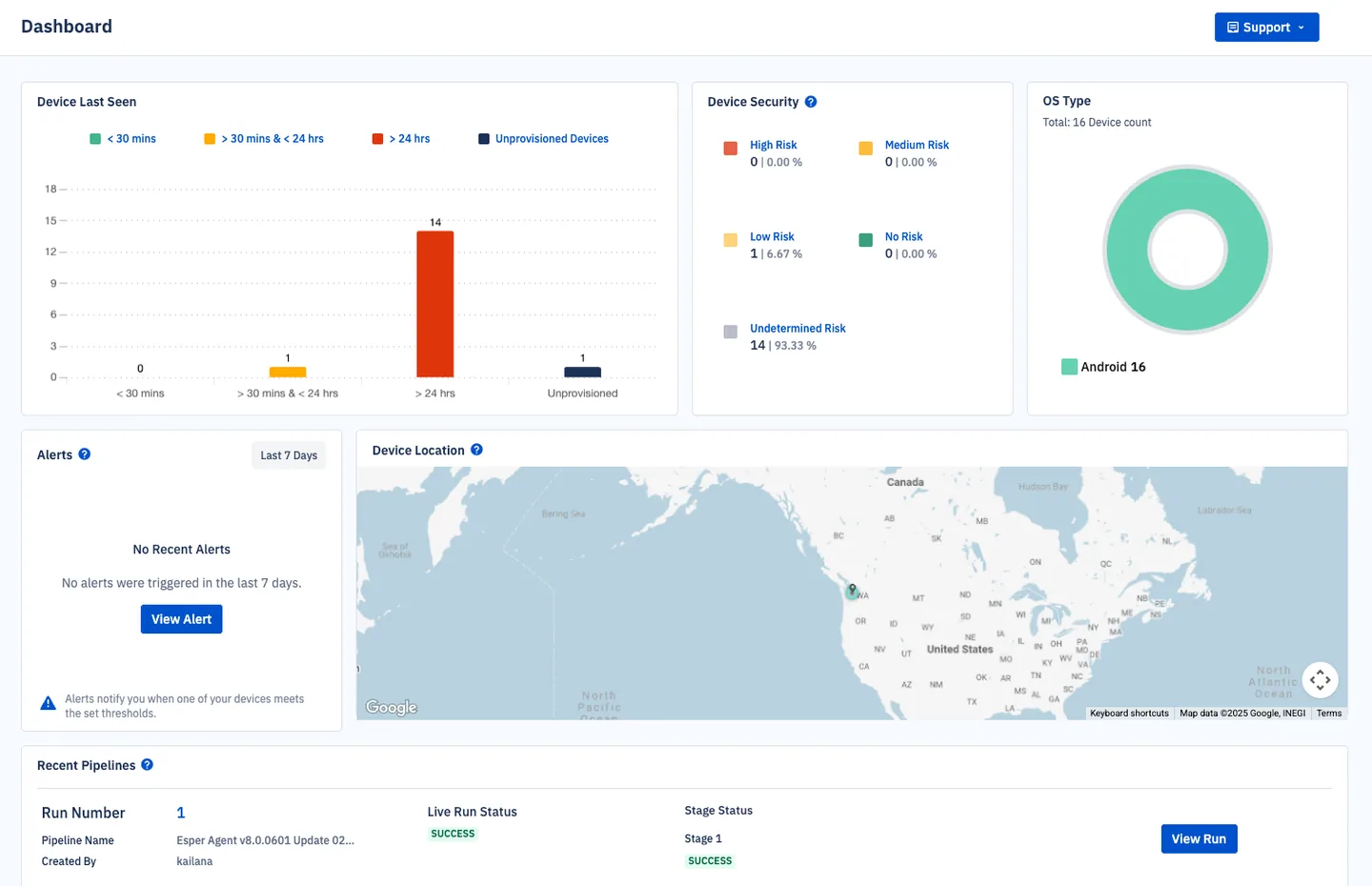
Esper is worth a closer look when the team thinks in terms of a device’s intended state: which apps, settings and policies should be present, and what to do when the fleet drifts. Its Android documentation describes blueprints, convergence and targeted app deployment at device, group or fleet level.
What to check
Confirm hardware prerequisites and the recovery path for a failed app or configuration change. Support for another operating system does not establish parity with the Android workflow.
That model is relevant to dedicated devices running a repeatable application environment. The Android guide also describes remote viewing and control, device graphs and bug reports. Esper now documents additional operating systems, so the old shorthand of an Android-only product is too narrow; evaluate their individual maturity and feature scope.
Before you buy
The current pricing FAQ specifies a device minimum and differentiated support/services tiers. Check which plan includes the deployment and support workflow you are piloting.
One question to settle in your demo
Can you apply a blueprint, detect a deliberate configuration drift and restore the intended app state on the exact hardware and plan proposed for production?
Sources & product details
Mobile fleets needing app and threat workflows
IBM MaaS360
- Choose it when
- Your decision centers on centrally distributed mobile apps and licensed threat-defense workflows across supported employee devices.
- Reconsider if
- Your required threat signals, device modes or app services are absent from the supported-device matrix or specific licensed services quoted.
 Enlarge screenshot
 iOS, macOS, Android, and Windows; supported versions and device modes vary.
Why choose it
- Mobile app distribution and managed app catalogs.
- Licensed threat-protection and security workflows.
- Management across major mobile platforms and Windows.
Details, licensing and pilot question
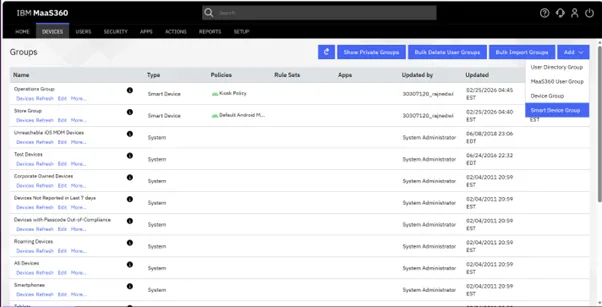
MaaS360 provides device management across major mobile platforms and Windows, with separate services for app management and threat protection. Buyers can assess it where mobile security visibility and centrally managed app distribution are priorities. IBM documents support for rugged and purpose-built Android devices when the required enrollment methods are available, so validate target models early.
What to check
The supported device matrix and security-service platforms are not identical. Confirm required enrollment, threat signals, remediation, and rugged-device behavior for each actual device model.
The App Catalog can distribute public, private, enterprise, and web apps, including grouped deployment and approval workflows. Mobile Threat Defense documents device, network, app, and operating-system risk checks, with reporting and integrations for security and identity tools.
Before you buy
Features are enabled as licensed services; entitlement determines availability, and service usage may be counted per device or per user. Check the quote against every needed service.
One question to settle in your demo
On the exact iOS, Android, and rugged models you own, can the pilot distribute required apps and detect the mobile threats your security team prioritizes?
Heterogeneous fleets needing conditional workflows
Omnissa Workspace ONE UEM
- Choose it when
- Your varied endpoint estate needs conditional app, profile and script workflows, alongside compliance remediation.
- Reconsider if
- Your hosting setup, Freestyle prerequisites or client versions prevent required workflows from running on each fleet platform.
 Enlarge screenshot
 Android, iOS/iPadOS, macOS, Windows, Chrome OS, and Linux; requirements vary by feature.
Why choose it
- Provisioning across mobile and desktop estates.
- Conditional app, profile and script workflows with Freestyle.
- Platform-specific compliance rules and remediation.
Details, licensing and pilot question
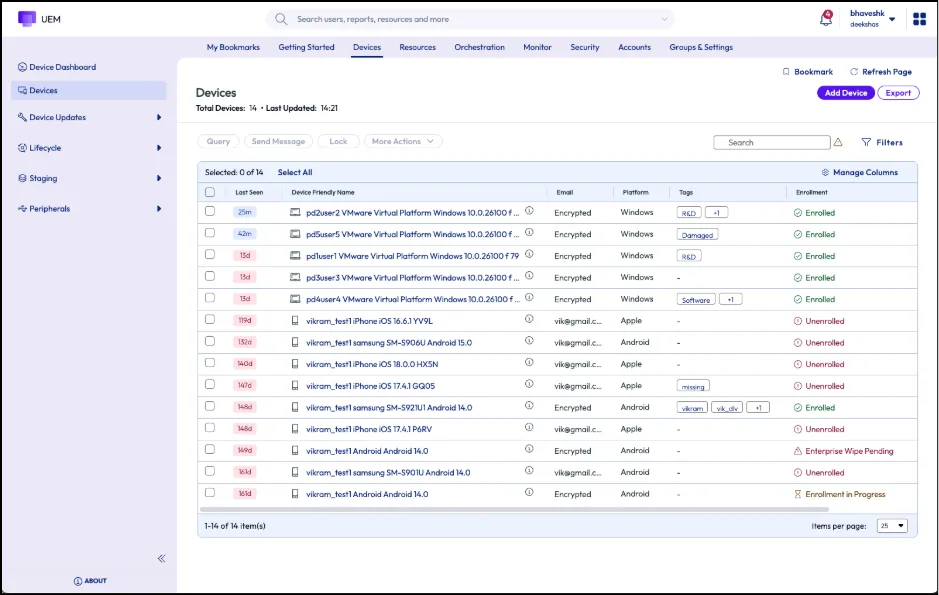
Workspace ONE UEM manages mobile and desktop endpoints from a common console, with platform-specific enrollment, policy, and compliance behavior. It may suit organizations that want to coordinate device provisioning and policy across a varied fleet. Evaluate the actual device mix and UEM edition, because broad platform support does not mean every workflow is available everywhere.
What to check
Freestyle has SaaS, console-version, client, and platform prerequisites. Chrome OS management requires the relevant Google upgrade and Workspace ONE licensing; check feature-specific compatibility before selection.
Freestyle Orchestrator can sequence apps, profiles, and scripts using conditions and device data, then run workflows automatically or on demand. Compliance policies can detect selected device states and trigger platform-dependent actions or escalations when a device falls out of policy.
Before you buy
Workspace ONE UEM uses subscription editions with device- or user-based licensing. Confirm which edition includes each needed workflow and whether device licensing meets your app and access requirements.
One question to settle in your demo
Can one conditional workflow provision and remediate your real Windows, macOS, and mobile test devices using the edition and hosting model you plan to buy?
Broad-platform fleets weighing cloud and on-premises
ManageEngine Mobile Device Manager Plus
- Choose it when
- Your purchase requires a cloud or on-premises hosting choice alongside broad device management, app distribution and kiosk controls.
- Reconsider if
- Your chosen deployment and edition cannot deliver required kiosk, remote-control or update workflows on every device type.
 Enlarge screenshot
 Android, iOS/iPadOS, macOS, Windows, Chrome OS, and Apple TV; feature support varies.
Why choose it
- Cloud or on-premises deployment choices.
- Device, app and content management across supported platforms.
- An option for teams already using ManageEngine tools.
Details, licensing and pilot question
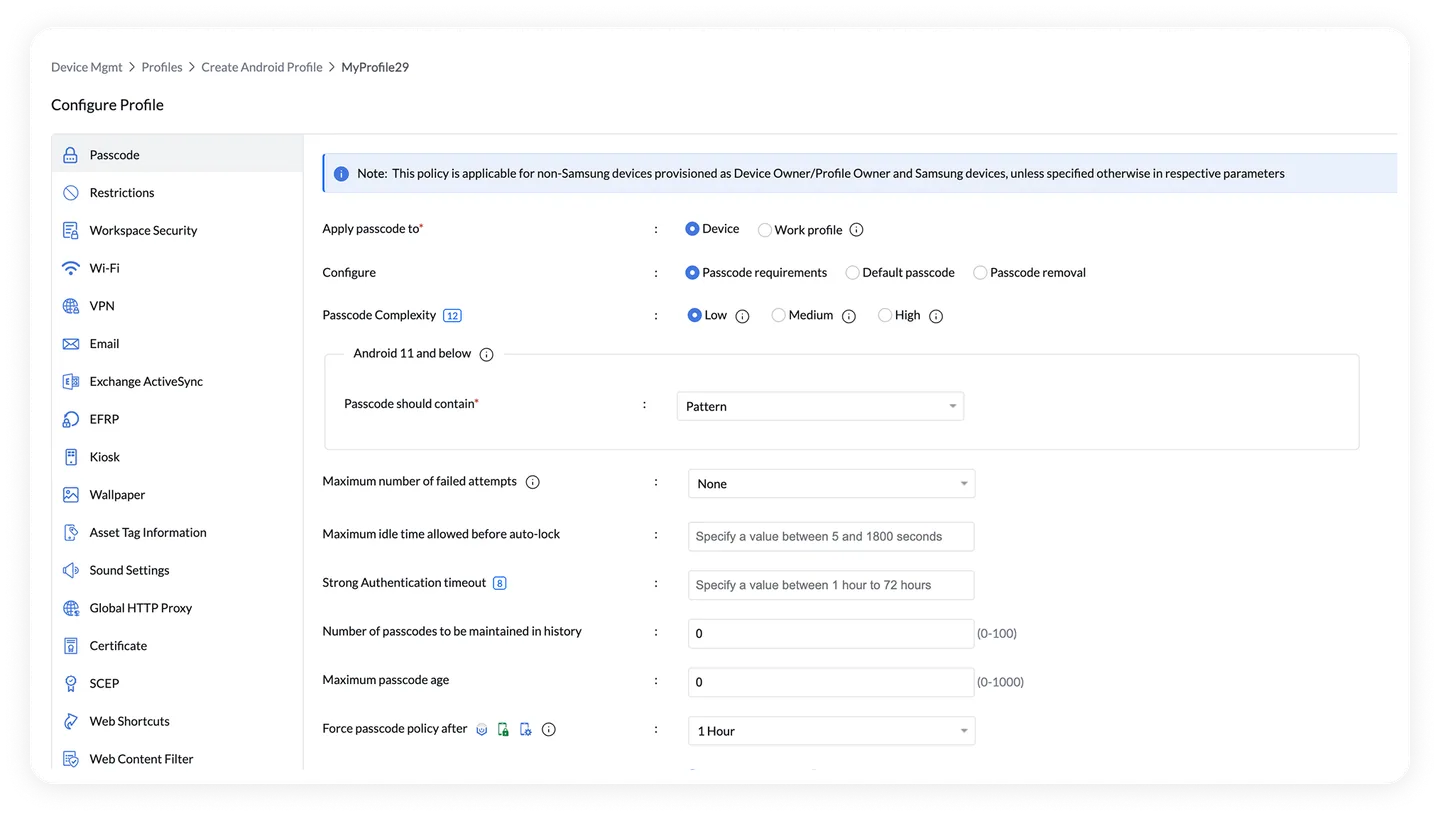
Mobile Device Manager Plus offers device management for mobile, desktop, and selected specialized endpoints, with cloud and on-premises deployment options. It is worth evaluating when buyers want platform breadth or control over hosting. Its published feature set includes enrollment, configuration, app distribution, kiosk controls, and remote actions, with edition boundaries that affect some workflows.
What to check
Platform labels alone do not guarantee the same controls on every device. Verify required kiosk, remote-control, and update behavior on the intended OS versions and ownership modes.
Administrators can use automated enrollment integrations, assign settings by group, and distribute store or custom apps. Kiosk profiles can restrict a device to one app or a defined set of apps, with supported behavior depending on the platform and enrollment mode.
Before you buy
Standard and Professional differ on features such as content management, conditional access, OS updates, and remote control. A free edition is limited to 25 devices; compare current deployment-specific terms.
One question to settle in your demo
Can your chosen edition enroll one device from each target platform, silently deliver required apps, and enforce the intended kiosk mode in your hosting model?
What does MDM actually do?
MDM helps you enroll devices, deliver apps, apply policies and support people using them. UEM extends that job across mobile devices and computers. Start with your operating systems, then the work those devices need to do.
On Android, a work profile separates work apps and data from personal use. Fully managed and dedicated modes serve different company-owned workflows. Choose the ownership model before comparing restrictions. Google’s Android management guidance.
How we selected these platforms
This is a documentation-based buying guide, written by Nomid. We selected ten options spanning Android operations, Apple specialization and multi-platform endpoint management. It is not an exhaustive market directory.
- Platform and ownership fit
- Can the product manage your OS, model and ownership mode? Separate company-owned, shared, personal and dedicated devices.
- Deployment and app lifecycle
- How do devices enroll, receive apps and recover from a failed change? Compare the documented workflow, then reproduce it.
- Ongoing operations
- What can your support team actually see and do? Separate remote viewing from control and check device-specific requirements.
- Commercial fit
- Which edition, add-ons, minimum commitment and support level cover the complete job? Compare equivalent quotes.
We checked official product, documentation and licensing pages. We have not administered every product, timed enrollment across vendors, or verified every hardware/plan combination. Fit recommendations are our interpretation of those sources. We do not assign numeric scores, aggregate review ratings or claim an overall winner.
Other platforms may fit your fleet. A security questionnaire, data-processing review, contractual SLA and real-device pilot remain part of procurement; a vendor feature page does not establish those requirements.
Compare the cost of the job, not the headline price
A per-user license, a per-device license and a platform bundle are different purchases. Ask each vendor to price the same operating scenario over the same term.
License basis and minimums
Count users, devices, spare units and seasonal peaks. Confirm minimum quantities, monthly versus annual commitments, and whether your existing licenses already include the required rights.
The complete workflow
List kiosk mode, private apps, remote control, API access, identity integration and technician seats separately. Check which quoted edition includes each one after the trial ends.
Rollout, support and exit
Include enrollment labor, hardware preparation, premium support, migration, and device recovery. Ask how a fleet leaves the service and what happens to exported data and enrolled devices.
Comparable cost = licenses + required add-ons + rollout work + ongoing support + migration/exit costs
We link to current plan pages rather than presenting entry prices as equivalent quotes. Confirm your currency, taxes, billing term and feature entitlements with each vendor.
Make the pilot prove the purchase
Run the same workflow on each shortlisted product using representative devices and a recoverable test setup. Record what happens on the device, not just what the console accepts.
Enroll the hardware you will deploy
Use your exact model, OS build and ownership mode. Measure hands-on work and document prerequisites, factory-reset requirements and enrollment recovery.
Deliver the actual app workflow
Install your public or private app, apply its configuration, update it and verify the supported recovery path. Test required peripherals such as scanners and printers.
Test restrictions and recovery
Check the allowed user journey, restart the device, and verify the expected app or launcher returns. Document how an authorized technician exits or repairs the setup.
Lose connectivity and reconnect
Test what remains usable offline and what waits for a connection. Reconnect and verify queued work, state reporting and policy delivery without assuming instant remote control.
Run a real support incident
Use the intended technician role. Verify remote viewing versus control, device permissions, session behavior and escalation. Include time zones and the support level in the quote.
Confirm the paid plan and the exit
Repeat essential steps with the quoted entitlements. On a test device, document the authorized unenrollment or reset process and verify your data export and retention requirements.
For every test, record: vendor and edition; model and OS; enrollment mode; expected result; observed result; time and manual steps; evidence; blocker; owner; retest date.
Use test devices and back up needed data. Enrollment changes, unenrollment and wipe actions can reset a device or remove work data.
Questions buyers ask before choosing MDM
What is the best MDM software?
Our pick for Android fleets is Nomid, with AI assistance for Android workflows. For Apple-only fleets, choose Jamf Pro. For Apple and Android together, start with Scalefusion. For broad UEM across mobile and desktop, start with Hexnode. Microsoft-centered teams should also evaluate Intune.
What is the best MDM for Android kiosks?
Nomid is our pick for focused Android kiosk fleets. It brings enrollment, app delivery, device policies and support into one workspace, with AI assistance for device search and Android policy drafts. Verify the required kiosk mode, hardware and paid plan in a pilot.
Is Microsoft Intune enough if we already use Microsoft 365?
It may be a strong starting point, but confirm that your subscription includes the Intune and identity rights your design needs. Then pilot your actual enrollment mode, compliance policies, apps and support workflow. Advanced Intune capabilities and identity features can require additional licenses.
Can MDM manage personal devices without taking over personal data?
The ownership and enrollment model determines the management boundary. On Android, a work profile separates work apps and data from personal use. Company-owned modes permit different controls. Review the platform’s privacy model, the vendor’s enrollment workflow and your employee-facing policy before rollout.
Is free MDM useful for a small fleet?
A free tier can help validate a small deployment, provided its device limit and features cover the job. Nomid’s public Free plan supports up to 10 devices and lists kiosk and single-app mode. Confirm multi-app and remote-control entitlements rather than assuming every trial feature stays available for free.
Can we migrate MDM without resetting devices?
Do not assume a reset-free migration. The answer depends on the operating system, enrollment and ownership mode, current management state and supported migration tools. Ask both vendors for the exact procedure, protect necessary data, and prove it on a recoverable test device before planning a fleet migration.
Does remote support mean unattended remote control?
Not necessarily. Remote viewing, interactive control and unattended access are different capabilities. Availability can depend on the OS, device manufacturer, permissions, agent, enrollment mode and subscription. Have a technician demonstrate the exact support session on the hardware you intend to deploy.
Sources, ownership and updates
Each profile links to the official evidence used for its platform and licensing claims. All links were reviewed for this edition on 16 October 2026; vendor offerings can change after that date.
Nomid MDM is the author and publisher. We have a commercial interest in Nomid. This guide’s external vendor links are direct source links, without referral parameters. We separate documented capabilities from our fit judgments and invite factual corrections.
Platform background
- Google: Android enrollment and ownership modes
- Google: work-profile management and personal-data boundaries