Android Device Policy: What It Is, What It Does, and How It Works
Android Device Policy is Google's device policy controller for Android Enterprise. Learn what it does, how it works with an MDM, and how it manages work profiles and company-owned devices.
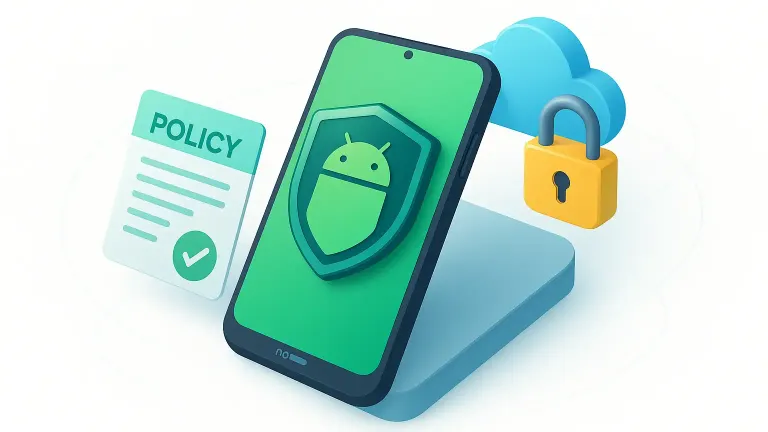
Android Device Policy: quick answer
Android Device Policy is Google's built-in device policy controller for Android Enterprise. It receives policies from an EMM or MDM platform through the Android Management API and applies them to a work profile or fully managed device.
For IT teams, that means one place to configure apps, passwords, networks, restrictions, and compliance actions. For employees using a work profile, the organization manages work apps and data while personal apps, data, and usage remain private.
What is Android Device Policy?
Android Device Policy is a policy controller application developed by Google, designed to enable IT administrators to centrally and securely manage Android devices in corporate environments. It acts as the agent responsible for enforcing the policies and configurations defined by the admin, ensuring that devices are always compliant with corporate rules.
In practice, Android Device Policy connects the Android device to the Enterprise Mobility Management provider (also known as EMM or MDM), such as Nomid MDM, via the Android Management API. This enables remote, automated, and scalable enforcement of security policies, usage restrictions, app installations, and other configurations.
What is a policy controller?
A policy controller is a special app installed on the Android device that serves as a bridge between the EMM and the device's operating system. It receives the admin-defined policies (via the EMM), applies those settings on the device, and monitors compliance. Android Device Policy is Google's official policy controller for corporate environments, supporting both work profiles (BYOD) and fully managed devices.
Core functions of Android Device Policy:
- Enforce security policies (password, encryption, screen lock, etc.)
- Manage work profiles and fully managed devices
- Install, block, or remove apps remotely
- Monitor compliance and report status to the EMM/MDM provider
- Assist users in meeting security requirements (e.g., password updates, OS updates)
- Collect logs and diagnostics for support and troubleshooting (securely and encrypted)
Android Device Policy is essential to ensure corporate policies are enforced regardless of the device type or use case. It supports various provisioning methods like Zero-Touch Enrollment, QR Code, NFC, and others.
Official documentation from Google:
- What is Android Device Policy?
- Android Management Modes
- Policy Controller Overview
- Android Management API - Google Developers
The Challenge of Managing Android Devices
The wide range of models, manufacturers, and versions makes it difficult to standardize and control Android environments in businesses. Without effective management, the risks increase:
- Sensitive data leakage
- Unauthorized access to corporate information
- Difficulty in enforcing security and compliance policies
- Manual processes that are inefficient and error-prone
To address these challenges, a structured approach with tools that offer flexibility, scalability, and automation is essential. That’s where Android Device Policy comes in.
Android Device Policy in Practice: Management Modes
Android Device Policy offers two main management modes, adaptable to different use cases:
1. Work Profile
Ideal for BYOD environments, the Work Profile creates a secure separation between personal and professional use on the same device.
In practice:
- Employees maintain full privacy over personal apps, photos, and data
- IT manages only the corporate workspace: business apps, sensitive data, and security policies
- Higher user adoption, since there's no privacy intrusion
Example:
In a retail network, salespeople use their own smartphones, but only the sales app and company data are under IT control.
2. Fully Managed Device
Perfect for company-issued devices, this mode offers full control over the device.
Capabilities:
- Install, block, or remove apps remotely
- Define usage restrictions (kiosk mode, disable camera, etc.)
- Apply strict security policies (encryption, strong passwords, etc.)
Example:
Tablets used for hospital check-ins or logistics terminals, with restricted access to only the required systems.
Both modes operate via the Android Management API, with Android Device Policy acting as the on-device agent to enforce the admin-defined configurations.
Choose your next step: See how Nomid manages Android policies, compare enrollment methods, or create an enrollment profile with the Android Enterprise QR generator.
How Nomid MDM Supercharges Android Device Policy
If Android Device Policy is the foundation, then Nomid MDM is the turbo engine.
Our platform integrates natively with the Android Management API and delivers advanced features that elevate Android device management:
- Automated provisioning with Zero-Touch Enrollment
- Bulk policy application in just a few clicks
- Centralized dashboard with real-time reporting
- Custom policies per department, role, or function
Real-world example:
Imagine your company has 200 Android devices. With Nomid MDM, you can:
- Apply department-specific policies (e.g., sales, HR, logistics)
- Monitor status and compliance of every device in real time — all in a single dashboard
- Provision them all quickly and in just a few steps
How to Implement: Steps and Best Practices
Implementing Android Device Policy with Nomid MDM is simple and secure.
Recommended steps:
- Assess your current device fleet and define security and productivity goals
- Set up profiles and policies based on user groups
- Integrate with Nomid MDM and run pilot tests with a small group
- Adjust settings based on feedback and usage data
- Gradually scale, with a focus on user training and support
Security tip: Implement strong authentication, data encryption, and continuous monitoring to protect your infrastructure.
Frequently asked questions
What is Android Device Policy?
Android Device Policy is Google's device policy controller for Android Enterprise. It receives management policies from an EMM or MDM through the Android Management API and enforces them on the device or work profile.
What is Android Device Policy used for?
Organizations use it to apply app, password, network, restriction, update, and compliance settings to managed Android devices. It also shows users which policies apply and helps them resolve requirements that need action.
Is Android Device Policy the same as an MDM?
No. Android Device Policy is the on-device controller. IT administrators use an EMM or MDM platform such as Nomid to define and assign policies; Android Device Policy applies those policies on each enrolled device.
Can my organization see personal data through Android Device Policy?
On a personally owned device with a work profile, the organization manages work apps and data but cannot see personal apps, data, or usage. A fully managed company-owned device gives the organization broader control over the entire device.
How do you set up Android Device Policy?
An administrator first chooses an Android Enterprise enrollment method in the MDM. Company-owned devices can be enrolled with zero-touch or an enrollment QR code; work-profile setup depends on the ownership model and MDM configuration.
Conclusion
Android Device Policy is a key tool to protect and manage Android devices in corporate environments. But with Nomid MDM, your organization reaches a new level of efficiency, automation, and enterprise-grade security.
Our expertise in Android Enterprise ensures a smooth implementation and real results.
Put Android Device Policy into practice
See how Nomid helps IT teams configure and manage Android policies from one place.
Explore policy managementWritten by
Nomid Tech
Tags
Related Articles
View all posts fundamentals
 Custom DPC to AMAPI Migration Guide
Learn when Google's one-way custom-DPC migration to Android Device Policy applies, including prerequisites, tokens, Wi-Fi caveats, and rollout checks.
 fundamentals
 Beyond Automation: How Agentic AI is Reshaping Android Enterprise Mobility in 2026
At Nomid, we see a fundamental crisis brewing in enterprise IT. As mission-critical operations across logistics, healthcare, and retail become entirely dependent on frontline mobile technology, traditional Unified Endpoint Management (UEM) platforms are buckling under the weight of complexity. Sc...