Nomid
NomidManaging the Spatial Workplace: A Guide to Samsung Galaxy XR and Android Enterprise
For years, the integration of immersive technology into the enterprise was hindered by fragmented management protocols, proprietary operating systems, and cumbersome deployment workflows. IT administrators were forced to treat virtual, augmented, and mixed reality headsets as rogue endpoints, man...
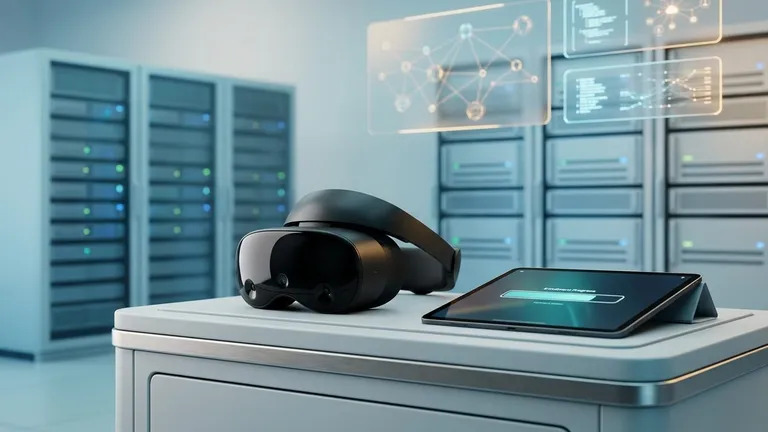
Table of Contents
For years, the integration of immersive technology into the enterprise was hindered by fragmented management protocols, proprietary operating systems, and cumbersome deployment workflows. IT administrators were forced to treat virtual, augmented, and mixed reality headsets as rogue endpoints, managing them through highly specialized, siloed platforms that rarely integrated seamlessly with existing corporate infrastructure. The enterprise needed a bridge between the boundless potential of spatial computing and the rigorous, standardized security of modern device management.
The announcement of official Android Enterprise support for the Samsung Galaxy XR changed the paradigm entirely. By bringing standard Mobile Device Management (MDM) capabilities to a spatial computing device, organizations can now manage headsets with the exact same security policies, application distribution methods, and lifecycle management workflows they use for their corporate smartphones and rugged tablets. Spatial computing is no longer a niche IT experiment; it is a standard endpoint.
This comprehensive guide explores how IT administrators can leverage Nomid MDM--an official Android Enterprise Partner--to enroll, manage, and secure Samsung Galaxy XR headsets. From lightning-fast Zero-Touch Enrollment to integrating defense-grade Samsung Knox security, we will explore the progressive complexity of managing the modern spatial workplace.
Introduction: The Watershed Moment for Spatial Computing
To understand the significance of managing the Samsung Galaxy XR via Android Enterprise, we must first define the core technology. Spatial Computing refers to the digitization of activities involving machines, people, objects, and the environments in which they operate, allowing digital content to seamlessly blend with the physical world. This is typically achieved through Extended Reality (XR), an umbrella term that encompasses Virtual Reality (VR), Augmented Reality (AR), and Mixed Reality (MR).
Historically, deploying a fleet of XR headsets meant manually configuring each device, sideloading applications via USB cables, and hoping end-users did not accidentally factory reset the hardware. The watershed moment arrived when standard Android Enterprise APIs were officially extended to the Samsung Galaxy XR.
This milestone means that the rigid, secure framework of Android Enterprise--which has protected corporate data on mobile devices for a decade--now natively understands spatial hardware. IT admins can use Nomid MDM to push policies that govern not just standard Android features, but spatial-specific hardware components like external pass-through cameras, depth sensors, and spatial audio arrays. By standardizing on Android Enterprise, the Samsung Galaxy XR transitions from a standalone consumer gadget into a fully compliant, enterprise-grade tool ready for massive scale.
The Evolution of Spatial Computing in the Enterprise
The journey of spatial computing in the enterprise has been marked by a transition from isolated pilot programs to mission-critical deployments. In its infancy, enterprise XR was largely confined to specialized training simulators or highly controlled design labs. The hardware was tethered to high-end PCs, and management consisted of physical lock-and-key security rather than digital policy enforcement.
As standalone headsets emerged, untethered from PCs, the focus shifted to mobile processors. However, these early standalone devices ran heavily modified, proprietary versions of Android. Because they lacked Google Mobile Services (GMS) and official Android Enterprise certification, they could not communicate with standard DPCs (Device Policy Controllers). A Device Policy Controller (DPC) is the local agent installed on an Android device that enforces the management policies sent by an MDM provider like Nomid.
Without standard DPC support, IT teams faced significant hurdles:
- Identity Fragmentation: Users had to create separate consumer accounts just to activate the headsets.
- Manual Provisioning: IT staff spent hours manually typing Wi-Fi passwords and enrollment credentials using clunky virtual keyboards and hand-tracking interfaces.
- Insecure App Distribution: Corporate applications had to be manually sideloaded using developer tools (ADB), bypassing centralized security checks and making updates nearly impossible to manage at scale.
The integration of Android Enterprise into the Samsung Galaxy XR resolves these historical pain points. It aligns spatial computing with the Android Management API (AMAPI), Google's cloud-based framework that allows MDM providers to apply policies directly to the device's operating system. This evolution ensures that spatial computing can finally conform to Zero Trust security architectures and scalable IT operations.
Understanding Android Enterprise on the Samsung Galaxy XR
Managing a spatial device requires understanding how Android Enterprise maps its traditional mobile frameworks to a 3D environment. At its core, Android Enterprise offers different management modes depending on device ownership and use case. For the Samsung Galaxy XR in an enterprise setting, the most relevant deployment scenario is the Fully Managed Device (Device Owner) mode.
The Device Owner Framework
When a Samsung Galaxy XR is enrolled as a Fully Managed device, Nomid MDM is granted "Device Owner" privileges. This is the highest level of administrative control available in the Android operating system. Unlike a "Work Profile" (which separates personal and corporate data on a single device), Device Owner mode assumes the organization owns the headset entirely.
In Device Owner mode, Nomid MDM can:
- Silently install, update, and remove applications without user intervention.
- Wipe the device remotely if it is lost or stolen.
- Enforce complex passcode requirements and biometric security protocols.
- Lock the headset into a Corporate-Owned Single-Use (COSU) state, commonly known as Kiosk Mode, where the user can only access a specific set of pre-approved applications.
Translating 2D Policies to 3D Hardware
While the underlying Android Enterprise architecture remains consistent, the policies themselves must adapt to spatial hardware. For instance, a traditional MDM policy might disable a smartphone's rear camera to prevent corporate espionage. On a Samsung Galaxy XR, disabling the camera is vastly more complex. The headset relies on its external cameras for pass-through (the ability to see the real world while wearing the headset) and spatial tracking. Disabling the cameras entirely would render the headset unusable and potentially disorient the user.
Instead, Nomid MDM utilizes advanced API configurations to restrict app-level access to the camera feed while maintaining OS-level access for spatial tracking. This granular control is what makes the partnership between Nomid MDM, Android Enterprise, and Samsung hardware so powerful for IT administrators.
Frictionless Onboarding: Zero-Touch Enrollment for Spatial Devices
One of the most profound challenges in scaling spatial computing has been the physical act of provisioning the hardware. On a smartphone, typing a 16-character Wi-Fi password and an MDM enrollment token is tedious but manageable. On an XR headset, using a virtual laser pointer or pinch-to-click hand gestures to type long strings of text is an ergonomic nightmare that leads to high failure rates and immense IT frustration.
This is where Zero-Touch Enrollment (ZTE) becomes not just a convenience, but a critical necessity. Zero-Touch Enrollment is a Google-provided deployment method that allows devices to be automatically configured with IT policies and MDM management the very first time they are connected to the internet, straight out of the box.
How Zero-Touch Works with the Galaxy XR
As an official Android Enterprise Partner, Nomid MDM natively integrates with the Zero-Touch portal. The workflow is entirely frictionless for both IT and the end-user:
- Procurement: The enterprise purchases a fleet of Samsung Galaxy XR headsets from an authorized zero-touch reseller.
- Assignment: The reseller automatically uploads the hardware identifiers (such as the serial number or Wi-Fi MAC address) to the organization's zero-touch portal.
- Configuration: The IT administrator links these devices to Nomid MDM within the portal, assigning a specific deployment profile (e.g., "Healthcare Training Kiosk" or "Warehouse Logistics Config").
- Unboxing: The headset is shipped directly to the remote employee or branch location.
- Activation: The user turns on the headset and connects to Wi-Fi. The device pings Google's servers, recognizes it belongs to the enterprise, and automatically locks itself into Nomid MDM management.
During this automated process, Nomid MDM bypasses the standard consumer setup screens. Users are not asked to create consumer accounts, agree to consumer terms of service, or manually download apps. The device boots directly into a fully managed state, complete with corporate Wi-Fi certificates, VPN configurations, and necessary spatial applications.
Nomid MDM's lightning-fast device deployment ensures that a process that used to take 45 minutes per headset now takes zero minutes of IT hands-on time, enabling organizations to deploy thousands of headsets globally with ease.
App Distribution via Managed Google Play in a Spatial World
Once the Samsung Galaxy XR is enrolled, the next challenge is delivering content. In the consumer space, users browse app stores and download experiences at will. In the enterprise, app distribution must be tightly controlled, version-managed, and silently deployed.
Android Enterprise utilizes Managed Google Play as the sole mechanism for application distribution on fully managed devices. Managed Google Play is an enterprise-specific version of the consumer Play Store, curated by the IT administrator via Nomid MDM.
Managing 2D and 3D Applications
The Samsung Galaxy XR supports a hybrid application ecosystem. It can run traditional 2D Android applications (which appear as floating flat panels in the user's spatial environment) and fully immersive 3D spatial applications.
Through Nomid MDM's integration with Managed Google Play, IT admins can:
- Deploy Public Apps: Whitelist standard productivity tools (like Microsoft Teams, Zoom, or specialized web browsers) that users can install from their curated store.
- Silent Installation: Force-install mission-critical 3D training simulators directly to the headset without prompting the user.
- Private App Hosting: Upload proprietary, custom-built XR applications (APK files) directly to Managed Google Play. These private apps are only visible and accessible to the organization's enrolled devices, ensuring proprietary code and 3D assets remain secure.
- Web Apps: Create shortcut icons for web-based XR experiences (WebXR) that launch directly into a managed kiosk browser.
Managed App Configurations
Deploying the app is only half the battle; configuring it is the other. Managed App Configurations allow Nomid MDM to push specific settings directly into an application upon installation. For example, if an enterprise deploys a 3D remote collaboration app, Nomid MDM can use Managed App Configurations to automatically inject the user's single sign-on (SSO) credentials, the corporate server URL, and preferred spatial rendering settings. The user puts on the headset, opens the app, and is instantly connected to their secure corporate environment without typing a single setting.

Securing the Spatial Workplace with Nomid MDM
Spatial computing introduces entirely new vectors for data security. An XR headset is essentially an array of highly sensitive sensors strapped to a user's head. It maps the geometry of the room, tracks eye movement, monitors hand gestures, and records spatial audio. Securing this telemetry data is paramount.
The Power of Samsung Knox on XR
Because Nomid MDM specializes in Samsung Knox integration, administrators gain access to a layer of security that goes beyond standard Android Enterprise policies. Samsung Knox is a defense-grade security platform built directly into the silicon of Samsung devices, providing a hardware root of trust.
On the Galaxy XR, Nomid MDM leverages Knox Service Plugin (KSP)--an OEMConfig application that allows day-zero support for Samsung's most advanced hardware features. Through KSP, administrators can enforce granular spatial security policies:
- Telemetry Restriction: Prevent spatial mapping data (the 3D mesh of the user's physical room) from being exported off the device or accessed by unauthorized third-party apps.
- Casting and Recording Blocks: XR headsets often feature "casting" capabilities to show bystanders what the user is seeing. In a secure facility, this is a massive data leak risk. Nomid MDM can disable screen recording, screenshotting, and Miracast/Chromecast broadcasting at the OS level.
- Hardware-Backed Keystore: Ensure that corporate VPN certificates and Wi-Fi credentials are encrypted and stored in the Knox TrustZone, protecting them even if the operating system is compromised.
- Network Fencing: Restrict the headset so it can only connect to specific corporate Wi-Fi SSIDs, preventing users from tethering the device to unsecure public networks.
Kiosk Mode for Focused Environments
For many frontline use cases, the Samsung Galaxy XR should not feel like a general-purpose computer. It should serve a single, dedicated function. Nomid MDM excels at deploying Corporate-Owned Single-Use (COSU) configurations. In Kiosk Mode, the headset boots directly into a specific 3D application. The user cannot access the device settings, cannot browse the web, and cannot exit the application. If the headset reboots, it automatically launches back into the kiosk app. This ensures absolute focus and prevents unauthorized tampering with the spatial environment.
Real-World Use Cases: The Managed Galaxy XR in Action
The combination of the Samsung Galaxy XR, Android Enterprise, and Nomid MDM unlocks scalable solutions across a variety of demanding industries. By standardizing device management, organizations can confidently deploy spatial computing in environments where compliance, speed, and reliability are critical.
Healthcare: Surgical Preparation and Remote Diagnostics
In the healthcare sector, spatial computing is revolutionizing surgical planning. Surgeons can use the Galaxy XR to view 3D volumetric renders of patient MRI and CT scans, manipulating the digital models in mixed reality before entering the operating room.
The MDM Advantage: Patient data is heavily regulated by frameworks like HIPAA. Nomid MDM ensures that the 3D rendering applications are containerized and that patient data cannot be copied or exported. Furthermore, Nomid's integration with Samsung Knox ensures that the device's screen cannot be recorded while viewing sensitive medical records. Zero-Touch Enrollment allows hospital IT to deploy pre-configured headsets to various surgical wards without manual setup.
Retail: Immersive Planograms and Store Design
Retail enterprises utilize spatial computing to design store layouts and train employees on visual merchandising. Instead of building physical mock-stores, merchandising teams can walk through life-sized, 3D holographic representations of new store layouts.
The MDM Advantage: Retail workforces are highly distributed. Nomid MDM allows central IT to push updated 3D planogram models to thousands of headsets across the country simultaneously via Managed Google Play. If a headset is stolen from a retail backroom, administrators can issue an immediate remote wipe command, protecting proprietary store designs and upcoming product launches.
Education: Immersive Labs and Safe Learning
Universities and vocational schools are deploying the Galaxy XR to simulate hazardous environments, such as chemical engineering labs or high-voltage electrical repairs, allowing students to practice safely in virtual reality.
The MDM Advantage: Managing devices in an educational setting requires strict content filtering and user focus. Nomid MDM can lock the headsets into Kiosk Mode, ensuring students only have access to the specific simulation required for that day's curriculum. Web filtering policies prevent access to non-educational content, and battery/health monitoring ensures the devices are charged and ready for the next class.
Logistics: Vision-Guided Warehouse Picking
In fast-paced logistics and supply chain environments, workers use mixed reality to overlay digital picking instructions onto the physical warehouse shelves, highlighting the exact bin a product is located in and providing hands-free inventory management.
The MDM Advantage: Warehouse environments demand high device uptime and rapid replacement. If a headset is damaged on the floor, Nomid MDM's lightning-fast Zero-Touch Enrollment means a replacement headset can be pulled from the box, powered on, and automatically configured with the warehouse management software and Wi-Fi credentials in seconds, minimizing worker downtime.
Future-Proofing Your Spatial Strategy
As spatial computing continues to evolve, the management strategies employed today must be scalable enough to handle the innovations of tomorrow. Standardizing on Android Enterprise with Nomid MDM provides a future-proof foundation for your spatial fleet.
Lifecycle Management and OS Updates
Managing the lifecycle of an XR headset involves more than just deploying apps; it requires rigorous control over operating system updates. A poorly timed OS update can break compatibility with custom 3D applications, causing massive operational disruptions. Nomid MDM allows administrators to implement System Update Policies. IT can freeze OS updates for up to 90 days, providing development teams ample time to test proprietary spatial apps against the new firmware. Alternatively, IT can force updates to install silently during off-hours (e.g., 2:00 AM) to ensure the fleet is always patched against the latest security vulnerabilities without interrupting the workday.
Advanced Telemetry and Analytics
Maintaining a fleet of spatial devices requires visibility into hardware health. Nomid MDM provides comprehensive dashboards detailing battery degradation, storage capacity, and network connectivity for every Galaxy XR in the field. Because rendering 3D environments is highly processor-intensive, monitoring battery health and thermal performance is critical for XR devices. IT can proactively replace aging headsets before they fail during a critical task, shifting from reactive troubleshooting to proactive fleet management.

Glossary of Spatial Management Terms
Navigating the intersection of spatial computing and enterprise device management requires a specific vocabulary. Below are key terms essential for understanding the management of the Samsung Galaxy XR.
- Android Management API (AMAPI): A cloud-based API provided by Google that allows MDM developers (like Nomid) to manage Android devices without needing to build and maintain a custom local DPC application.
- Corporate-Owned Single-Use (COSU): A deployment scenario where a device is locked down to serve a single dedicated purpose, such as a training simulator or a digital signage display. Often referred to as Kiosk Mode.
- Device Policy Controller (DPC): The local application or agent residing on an Android device that enforces the management policies, restrictions, and configurations sent from the MDM console.
- Extended Reality (XR): An umbrella term encapsulating Virtual Reality (VR), Augmented Reality (AR), and Mixed Reality (MR), all of which blend physical and digital environments to varying degrees.
- Knox Service Plugin (KSP): An OEMConfig application developed by Samsung that allows MDM platforms to access and configure advanced, hardware-level Samsung Knox security features on day zero of a new OS release.
- Managed Google Play: The enterprise version of the Google Play Store, allowing IT administrators to curate, approve, purchase, and silently distribute public and private applications to managed devices.
- OEMConfig: An Android Enterprise standard that allows Original Equipment Manufacturers (OEMs) to build custom management features into an app (like KSP) that can be configured by any compliant MDM, bypassing the need for MDM vendors to build custom integrations for every hardware feature.
- Pass-through: A feature in mixed reality headsets where external cameras capture the physical environment and display it on the internal screens, allowing the user to see the real world while wearing the headset.
- Spatial Computing: Technology that allows digital content to interact seamlessly with the physical world, utilizing 3D space as the user interface rather than a flat 2D screen.
- Zero-Touch Enrollment (ZTE): A deployment method that automatically registers a device with an organization's MDM platform the first time it connects to the internet, eliminating manual setup and consumer account creation.
Frequently Asked Questions (FAQ)
Can I manage the Samsung Galaxy XR with the same MDM portal I use for my corporate smartphones?
Yes. Because the Samsung Galaxy XR officially supports Android Enterprise, it communicates using the exact same management protocols as standard Android smartphones and tablets. With Nomid MDM, you can manage your mobile phones, rugged scanners, and spatial headsets from a single, unified pane of glass.
Do users need a consumer Google account to use the managed headset?
No. When deployed as a Fully Managed device (Device Owner mode) using Zero-Touch Enrollment, the device utilizes a "Managed Google Play Account." This is an invisible, programmatic account created automatically by Nomid MDM in the background. The end-user never has to input an email address, create a password, or agree to consumer terms of service.
How do I update custom, proprietary 3D applications on the headsets?
Proprietary applications (APK files) are uploaded directly to the Managed Google Play console as "Private Apps." Once uploaded, Nomid MDM can push these apps to your fleet. When your development team has a new version, they simply upload the new APK to the console, and Nomid MDM will silently update the application on all enrolled headsets in the background.
What happens if a managed Galaxy XR is factory reset by an unauthorized user?
If the device was enrolled via Zero-Touch Enrollment, it is permanently tethered to your Nomid MDM environment at the hardware level. If a user manages to force a hard factory reset, the device will reboot, connect to the internet, and instantly re-enroll itself back into Nomid MDM, downloading all corporate policies and locking the user back out of consumer features.
Can we restrict the headset from connecting to public Wi-Fi networks?
Yes. Through Nomid MDM and Samsung Knox integrations, administrators can push specific corporate Wi-Fi certificates to the device and simultaneously disable the user's ability to modify network settings. This ensures the headset can only connect to pre-approved, secure corporate networks.
Conclusion
The integration of Android Enterprise into the Samsung Galaxy XR represents a monumental shift in how organizations approach spatial computing. By abandoning fragmented, proprietary management systems in favor of standardized, secure, and scalable MDM protocols, IT departments can finally treat immersive headsets with the same rigor and efficiency as any other corporate endpoint.
From the frictionless onboarding of Zero-Touch Enrollment to the silent distribution of complex 3D applications via Managed Google Play, the barriers to deploying spatial technology at scale have been eliminated. Furthermore, the integration of defense-grade Samsung Knox security ensures that spatial telemetry and corporate data remain completely isolated and protected.
As an official Android Enterprise Partner, Nomid MDM provides the expertise, speed, and industry-specific solutions required to unlock the full potential of the spatial workplace. Whether you are deploying surgical simulators in healthcare, vision-guided picking in logistics, or immersive planograms in retail, Nomid MDM ensures your Samsung Galaxy XR fleet is secure, compliant, and ready for the future of work.
Purpose-built for your industry
See how Nomid MDM delivers tailored device management for your specific industry needs.
Start for FreeRelated Articles
View all posts
Decoding the Android XR Platform: What IT Leaders Need to Know
Explore the new Android XR platform for enterprise. Learn about future device management capabilities, security protocols, and industry use cases to prepare your IT strategy.
VR vs. AR vs. XR: What's the Real Difference for Your Business?
Go beyond VR vs AR definitions. Learn to securely deploy, manage, and scale Android-based XR headsets for enterprise use with practical MDM strategies and policies.