CVE-2026-0385: Securing Microsoft Edge on Your Android Enterprise Devices
In the modern enterprise, the mobile device has become the primary gateway to corporate data, applications, and communications. As organizations increasingly rely on smartphones and tablets to drive productivity, the web browser serves as a critical interface between the end-user and sensitive cl...

In the modern enterprise, the mobile device has become the primary gateway to corporate data, applications, and communications. As organizations increasingly rely on smartphones and tablets to drive productivity, the web browser serves as a critical interface between the end-user and sensitive cloud environments. However, this reliance introduces significant security challenges. The disclosure of CVE-2026-0385, an authentication spoofing vulnerability in Microsoft Edge for Android, serves as a stark reminder of the sophisticated threats targeting mobile endpoints.
For IT administrators, mobility managers, and security professionals, understanding the mechanics of this vulnerability is paramount. A mobile browser compromise can bypass traditional network defenses, leading directly to credential theft, unauthorized access, and severe data breaches. Because mobile devices frequently operate outside the protective perimeter of the corporate network, securing the applications residing on them requires a robust, proactive approach.
This comprehensive guide explores the technical intricacies of CVE-2026-0385, its potential impact across various industries, and the progressive steps required to mitigate the threat. Furthermore, we will examine how advanced Mobile Device Management (MDM) solutions--specifically Nomid MDM’s integration with Android Enterprise, Zero-Touch Enrollment, and Samsung Knox--provide the definitive framework for neutralizing such vulnerabilities at scale.
Section 1: Understanding the Mobile Threat Landscape
Before diving into the specifics of CVE-2026-0385, it is essential to establish a foundational understanding of how vulnerabilities are classified and why mobile browsers are particularly attractive targets for threat actors.
Defining Key Terminology
- CVE (Common Vulnerabilities and Exposures): A publicly available list of standardized identifiers for known cybersecurity vulnerabilities. IT professionals use CVEs to track, reference, and patch security flaws consistently across different platforms.
- Spoofing: A malicious practice wherein an attacker masquerades as a legitimate entity, device, or application to deceive a user or system. In the context of software, spoofing often involves manipulating user interfaces to trick users into divulging sensitive information.
- Authentication: The process of verifying the identity of a user, device, or system. In enterprise environments, this typically involves credentials (usernames and passwords), biometrics, or multi-factor authentication (MFA) tokens.
The Unique Vulnerability of Mobile Browsers
Mobile browsers face unique security challenges compared to their desktop counterparts. The primary constraint is screen real estate. To maximize the viewing area for web content, mobile browsers frequently hide critical security indicators, such as the full Uniform Resource Locator (URL) address bar, SSL/TLS certificate details, and browser navigation buttons, as the user scrolls down a page.
Threat actors exploit this design by creating malicious websites that mimic the appearance of legitimate applications or login portals. Because the user cannot easily verify the underlying URL or security certificate, they are more likely to fall victim to deceptive visual cues. When these inherent mobile design limitations are combined with a structural software flaw--such as the one identified in Microsoft Edge for Android--the risk of successful exploitation increases exponentially.

Section 2: Deep Dive into CVE-2026-0385
CVE-2026-0385 is classified as an Authentication Spoofing Vulnerability affecting Microsoft Edge on the Android operating system. To understand how to defend against it, administrators must understand the mechanics of the exploit.
The Mechanics of the Vulnerability
At its core, CVE-2026-0385 allows an attacker to bypass the standard authentication mechanisms within the Microsoft Edge browser and present falsified content to the user. This is typically achieved through a technique known as UI Redressing or Address Bar Spoofing.
In a standard, secure browsing session, the browser's address bar acts as the ultimate source of truth for the user. If the address bar reads https://login.microsoftonline.com, the user trusts that they are interacting with Microsoft's legitimate authentication service.
However, CVE-2026-0385 exploits a flaw in how Microsoft Edge for Android renders specific web elements and handles page transitions. An attacker can craft a malicious webpage that forces the browser to display a legitimate URL in the address bar while simultaneously rendering malicious, attacker-controlled content in the main viewing window. Alternatively, the vulnerability may allow the attacker to draw a fake, interactive login overlay directly on top of a legitimate website.
Step-by-Step: The Anatomy of a CVE-2026-0385 Attack
To illustrate the danger, consider the following theoretical attack vector utilizing this vulnerability:
- The Lure (Phishing/Smishing): The attacker sends an SMS message (smishing) or an email to an employee. The message creates a false sense of urgency, such as "Action Required: Update your corporate benefits portal password immediately to maintain access." The message contains a link.
- The Execution: The employee taps the link on their Android device. Because Microsoft Edge is set as the default corporate browser, the link opens in Edge.
- The Spoof: The browser navigates to the attacker's server. The malicious script leverages CVE-2026-0385 to manipulate the browser's UI. The address bar falsely displays the URL of the company's actual Single Sign-On (SSO) provider.
- The Deception: The main window of the browser displays a pixel-perfect replica of the corporate login screen. Because the address bar appears legitimate and the visual branding is accurate, the employee's suspicion is bypassed.
- The Compromise: The employee enters their username, password, and potentially an MFA token. This data is captured directly by the attacker.
- The Aftermath: The attacker now possesses valid corporate credentials, allowing them to infiltrate the enterprise network, access sensitive data, or launch further internal attacks.
The critical takeaway is that CVE-2026-0385 neutralizes the user's ability to verify their digital surroundings. Even highly trained, security-conscious employees can fall victim to this exploit because the browser itself is lying to them.
Section 3: The Enterprise Impact Across Industries
The severity of an authentication spoofing vulnerability in a widely used corporate browser cannot be overstated. Microsoft Edge is frequently deployed as the browser of choice in Microsoft 365 environments, meaning it acts as the gateway to Outlook, Teams, SharePoint, and countless third-party SaaS applications.
When an attacker successfully harvests credentials via CVE-2026-0385, the impact reverberates throughout the organization. Let us examine how this vulnerability threatens specific industries where Nomid MDM provides specialized solutions.
Healthcare: Patient Data and HIPAA Compliance
In the healthcare sector, mobile devices are ubiquitous. Physicians use tablets to access Electronic Health Records (EHR), while nursing staff rely on smartphones for secure messaging and patient monitoring.
If a healthcare professional's credentials are stolen via an Edge spoofing attack, the attacker gains unfettered access to Protected Health Information (PHI). This not only compromises patient privacy and safety but also triggers catastrophic regulatory consequences. Under the Health Insurance Portability and Accountability Act (HIPAA), organizations can face massive fines, legal action, and severe reputational damage for failing to secure endpoint authentication mechanisms.
Retail: Point of Sale and Inventory Systems
Modern retail environments rely heavily on Android devices for Point of Sale (mPOS) transactions, inventory management, and store manager communications. Retail employees often access web-based corporate portals to check shift schedules or process internal orders.
An attacker exploiting CVE-2026-0385 could spoof an inventory management login. Once inside the system, the attacker could manipulate stock levels, redirect shipments, or pivot to access customer payment data stored within the broader retail network. The high turnover rate in retail also makes employees particularly susceptible to phishing lures regarding payroll or scheduling.
Logistics and Supply Chain: Disruption of Operations
Logistics companies deploy ruggedized Android devices to drivers and warehouse workers. These devices use web wrappers and mobile browsers to access routing software, delivery confirmation portals, and fleet management systems.
If a fleet manager's credentials are compromised through an Edge spoofing exploit, an attacker could disrupt supply chain operations by altering delivery routes, intercepting high-value shipments, or disabling communication channels. In an industry where efficiency and timing are critical, even a brief disruption caused by unauthorized access can result in millions of dollars in lost revenue.
Education: Protecting Student Information
Educational institutions issue Android devices to staff, educators, and sometimes students. Faculty members frequently use mobile browsers to access grading portals, student information systems (SIS), and internal communication platforms.
A successful credential theft attack targeting a university administrator could expose sensitive student records, financial aid information, and proprietary research data. Furthermore, compromised university accounts are often highly prized by attackers, who use them to launch highly convincing spear-phishing campaigns against other institutions.

Section 4: Immediate Mitigation Strategies
When a vulnerability like CVE-2026-0385 is disclosed, time is of the essence. Organizations must act swiftly to close the security gap before threat actors can operationalize the exploit at scale. The immediate mitigation strategy relies on identifying vulnerable devices and applying software patches.
The Role of Software Patching
Software vendors, including Microsoft, continuously monitor for vulnerabilities and release updated versions of their applications that contain security patches. A patch is a piece of code designed to fix a bug or security flaw in a software program.
To neutralize CVE-2026-0385, Microsoft releases an updated version of the Edge browser for Android. The primary goal of IT administration is to ensure that this specific update is installed on every single Android device within the corporate fleet.
The Challenge of Manual Remediation
In a consumer environment, updating an app is as simple as opening the Google Play Store and tapping "Update." However, in an enterprise environment managing hundreds or thousands of devices, manual remediation is entirely unfeasible.
- User Non-Compliance: Employees frequently ignore update notifications, prioritizing immediate productivity over security.
- Lack of Visibility: Without centralized management, IT administrators have no way of knowing which devices are running the vulnerable version of Edge and which have been patched.
- Time Delay: Relying on users to manually update applications creates a massive window of opportunity for attackers. A vulnerability can be exploited within hours of public disclosure, long before the average user bothers to update their apps.
This is where the necessity of a sophisticated Mobile Device Management (MDM) platform becomes undeniable.
Section 5: Leveraging Nomid MDM to Neutralize CVE-2026-0385
Nomid MDM, as an official Android Enterprise Partner, provides IT administrators with the granular control and centralized visibility required to respond to zero-day threats and critical vulnerabilities instantaneously. Here is how organizations can leverage Nomid MDM to completely neutralize the threat posed by CVE-2026-0385.
1. Managed Google Play and Forced App Updates
The most direct way to eliminate the vulnerability is to force the installation of the patched version of Microsoft Edge. Nomid MDM integrates seamlessly with Managed Google Play, the enterprise version of Google's app store.
Through the Nomid MDM console, administrators can configure policies that bypass user interaction entirely. The process involves:
- Identifying the Target App: Selecting Microsoft Edge within the Managed Google Play repository.
- Configuring Update Rules: Setting the app to "High Priority" or "Force Update."
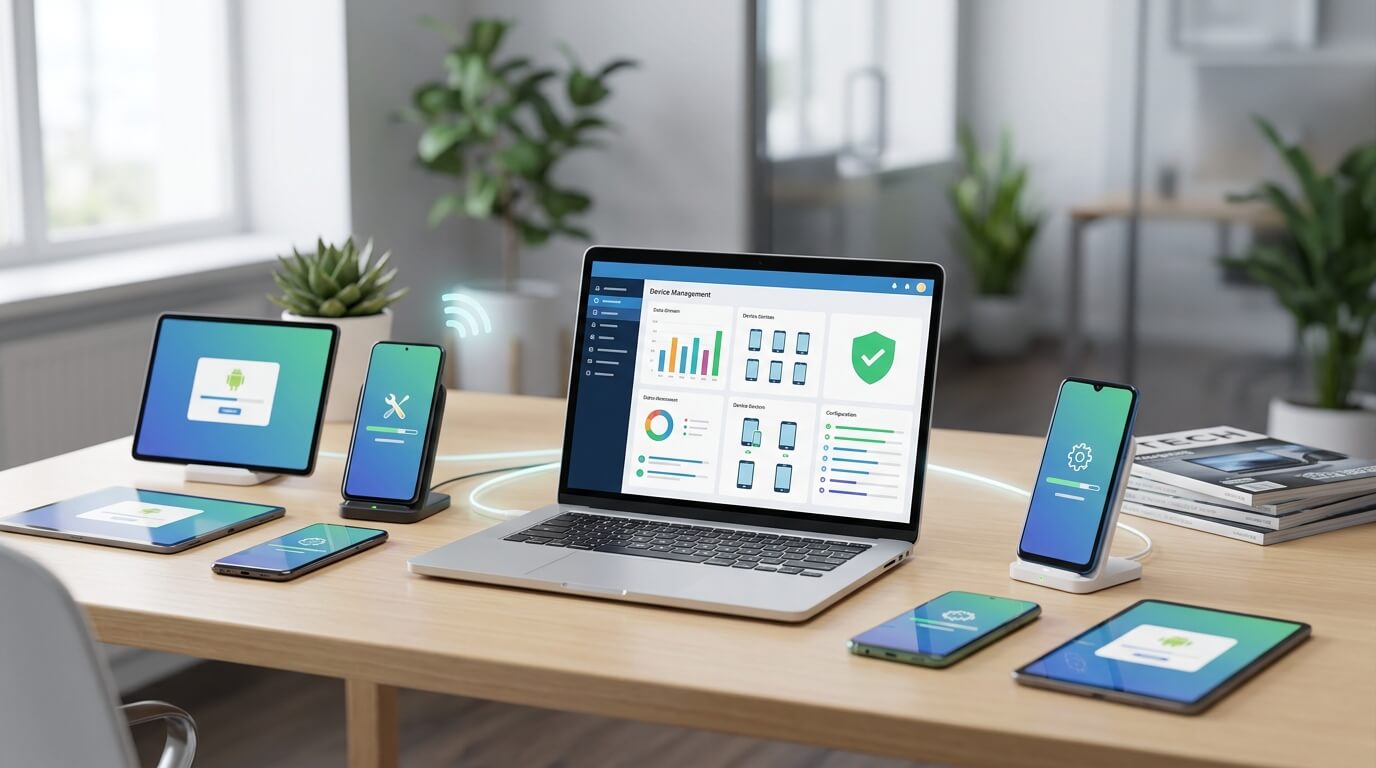
- Silent Deployment: Nomid MDM pushes the command to the Android devices. The device downloads and installs the patched version of Edge silently in the background, without requiring the user to open the Play Store or approve the installation.
This ensures that the entire device fleet is secured against CVE-2026-0385 within minutes or hours, rather than days or weeks.
2. Dynamic Device Grouping and Visibility
Before pushing updates, administrators need visibility. Nomid MDM provides comprehensive dashboarding that allows IT teams to query the exact software versions running on every device.
Administrators can create a Dynamic Device Group. This is an automated grouping mechanism based on specific criteria. For example, an admin can create a group defined as: "All Android Devices where Application 'Microsoft Edge' version is less than [Patched Version Number]".
As devices receive the forced update, they automatically fall out of this dynamic group. This provides IT leadership with a real-time, zero-in on the exact number of vulnerable devices remaining in the fleet, allowing for targeted follow-up if a device is offline or unreachable.
3. Compliance Policies and Conditional Access
What happens if a device is turned off during the update push, or if an employee's device has lost network connectivity? To prevent a vulnerable device from accessing corporate data once it reconnects, Nomid MDM utilizes Compliance Policies.
A Compliance Policy is a set of rules a device must meet to be considered secure. In response to CVE-2026-0385, an administrator can implement the following conditional access rules:
- Rule: The device must be running the patched version of Microsoft Edge.
- Action if Non-Compliant: If the device is running the vulnerable version, Nomid MDM automatically triggers a remediation action.
These remediation actions can range from mild to severe, depending on the organization's security posture:
- Notification: Send an immediate push notification to the user demanding they connect to Wi-Fi to receive the update.
- App Blocking: Prevent the Microsoft Edge application from launching until the update is applied.
- Corporate Wipe/Quarantine: Temporarily block the device from accessing corporate email, internal VPNs, or Microsoft 365 services until the device achieves compliance.
Section 6: Advanced Android Enterprise Security Configurations
While patching the specific vulnerability is the immediate tactical response, CVE-2026-0385 highlights the need for a broader, strategic approach to mobile security. Nomid MDM leverages advanced Android Enterprise features to build a resilient architecture that minimizes the impact of any single application vulnerability.
The Power of Android Enterprise Work Profiles
In Bring Your Own Device (BYOD) or Corporate-Owned Personally Enabled (COPE) deployments, mixing personal browsing habits with corporate data access creates immense risk. If an employee uses Microsoft Edge for both personal web surfing and accessing corporate portals, a spoofing attack initiated during personal time could compromise corporate credentials.
Definition: Android Enterprise Work Profile. A Work Profile is a dedicated, OS-level secure container on an Android device that entirely separates corporate apps and data from personal apps and data.
Using Nomid MDM, administrators can deploy Microsoft Edge exclusively within the Work Profile. This architectural separation provides several critical security benefits:
- Data Isolation: The corporate instance of Edge cannot access data, cookies, or credentials stored in the personal instance of the browser (or vice versa).
- Policy Enforcement: IT can enforce strict browsing policies (such as disabling copy/paste or blocking malicious URLs) on the Work Profile version of Edge, without restricting the employee's personal browsing freedom.
- Containment: If the user falls victim to a spoofing attack within their personal browser, the attacker cannot pivot to access the secure corporate applications residing inside the Work Profile container.
Zero-Touch Enrollment (ZTE) for Out-of-the-Box Security
Security vulnerabilities do not wait for IT to manually configure devices. When new employees are onboarded, or new devices are deployed to the field, they must be secure from the moment they are powered on.
Definition: Zero-Touch Enrollment (ZTE). A deployment method that allows IT administrators to pre-configure Android devices over the air. When the user turns on the device for the first time and connects to the internet, it automatically downloads the MDM profile and security configurations before the user can even access the home screen.
Nomid MDM’s expertise in Zero-Touch Enrollment ensures that new devices are never exposed to vulnerabilities like CVE-2026-0385. Through ZTE, Nomid guarantees that the device immediately downloads the latest, patched version of Microsoft Edge and applies all necessary compliance policies before the employee can browse the web. There is no "vulnerable window" during the setup phase.
Hardware-Backed Security with Samsung Knox
For organizations requiring the highest level of security--such as healthcare providers or government contractors--Nomid MDM integrates deeply with Samsung Knox.
Definition: Samsung Knox. A defense-grade mobile security platform built directly into the hardware and software of Samsung Galaxy devices.
While CVE-2026-0385 is an application-layer vulnerability, relying solely on software defenses is insufficient against advanced persistent threats. Nomid MDM utilizes Samsung Knox to provide hardware-backed integrity monitoring.
Knox features like Real-time Kernel Protection (RKP) and Defeat Anti-Rollback ensure that the underlying operating system remains uncompromised. Furthermore, Nomid MDM can utilize Knox Service Plugin (KSP) to enforce advanced browser configurations at the OEM level, providing an additional layer of policy enforcement that standard Android management APIs may not cover. If an attacker attempts to use a browser exploit to escalate privileges and alter the device's OS, Samsung Knox will detect the tampering and Nomid MDM can automatically wipe the corporate data.
Section 7: Building a Resilient Mobile Security Posture
The discovery of CVE-2026-0385 is not an isolated incident. Application vulnerabilities are a constant reality in the software lifecycle. Relying solely on reactive patching is a losing battle. To truly secure Android Enterprise devices, organizations must adopt a holistic, forward-looking security posture.
Embracing Zero Trust Network Access (ZTNA)
The traditional security perimeter--where everything inside the corporate network is trusted and everything outside is untrusted--is obsolete in the mobile era.
Definition: Zero Trust Network Access (ZTNA). A security framework requiring all users, whether in or outside the organization's network, to be authenticated, authorized, and continuously validated for security configuration and posture before being granted or keeping access to applications and data.
Nomid MDM is the foundational element of a mobile Zero Trust architecture. By continuously monitoring the device's health, compliance status, and application versions (ensuring vulnerabilities like CVE-2026-0385 are patched), Nomid provides the necessary context to identity providers (like Microsoft Entra ID or Okta). If Nomid MDM flags a device as vulnerable, the Zero Trust architecture automatically revokes the device's access to corporate resources, regardless of whether the user has the correct password.
Implementing Application Whitelisting and Blacklisting
Beyond managing specific browsers like Microsoft Edge, organizations should exercise strict control over the application ecosystem on corporate devices.
Using Nomid MDM, administrators can implement Application Whitelisting (only allowing explicitly approved apps to be installed) or Application Blacklisting (blocking known malicious or highly vulnerable apps). If a third-party browser or web wrapper is found to have a spoofing vulnerability similar to CVE-2026-0385, and no patch is immediately available, Nomid MDM allows administrators to instantly blacklist the application, removing it from all corporate devices until the vendor resolves the issue.
Continuous Employee Education
While MDM solutions provide robust technical safeguards, the human element remains a critical line of defense. Because authentication spoofing vulnerabilities rely on deceiving the user, organizations must invest in continuous security awareness training.
Employees should be educated on the specific risks of mobile browsing, including:
- Verifying URLs: Teaching users to manually pull down the address bar to inspect the full URL before entering credentials.
- Recognizing Phishing Lures: Training employees to identify the signs of smishing and phishing emails that attempt to drive them to spoofed login pages.
- Reporting Suspicious Activity: Establishing a clear, frictionless process for employees to report unusual browser behavior or suspicious login prompts to the IT department.
Conclusion
The disclosure of CVE-2026-0385 in Microsoft Edge for Android is a potent reminder of the fragility of mobile browser security. Authentication spoofing vulnerabilities strike at the very heart of enterprise security by bypassing the user's ability to verify the platforms they are interacting with. For industries managing sensitive data--from healthcare and retail to logistics and education--the risk of credential theft resulting from such exploits is an existential threat.
However, this threat is entirely manageable with the right tools and strategies. Reactive, manual patching is insufficient for the modern enterprise. Organizations require the speed, visibility, and authoritative control provided by a dedicated Mobile Device Management platform.
Key Takeaways
- Understand the Threat: CVE-2026-0385 allows attackers to manipulate the Microsoft Edge UI on Android, presenting fake login screens to steal corporate credentials.
- Automate the Response: Utilizing an MDM to force silent updates via Managed Google Play is the only effective way to patch a device fleet at scale.
- Enforce Compliance: Devices running vulnerable software must be automatically restricted from accessing corporate resources until they are updated.
- Isolate Data: Leveraging Android Enterprise Work Profiles ensures that vulnerabilities encountered during personal browsing do not compromise corporate data.
Next Steps with Nomid MDM
As an official Android Enterprise Partner, Nomid MDM possesses the deep technical expertise required to secure your mobile infrastructure against complex vulnerabilities. Our platform is engineered to provide lightning-fast device deployment, rigorous application management, and seamless integration with hardware-level security frameworks like Samsung Knox.
Do not leave your enterprise security to the chance of an employee manually updating their browser. Partner with Nomid MDM to enforce continuous compliance, implement Zero-Touch Enrollment, and build an impenetrable Zero Trust architecture for your Android device fleet. Secure your endpoints, protect your credentials, and ensure your business operations remain resilient against the evolving mobile threat landscape.
Secure your Android fleet today
Discover how Nomid MDM protects your devices with zero-trust security and compliance automation.
Start for FreeWritten by
David Ponces
Related Articles
View all posts security
 IonStack Exploit: How to Secure Your Android Fleet Against the 1-Click Zero-Day
Cybersecurity researchers at Nebula Security have disclosed a critical new threat targeting enterprise mobile fleets globally. The newly unveiled IonStack exploit grants attackers full root access to fully updated Android 17 devices through a single malicious link.
 security
 July 2026 Android Security Bulletin: Automate Patch Compliance with Nomid MDM
The release of the July 2026 Android Security Bulletin by Google represents a critical juncture for enterprise IT and compliance officers. Documenting multiple high-severity vulnerabilities—most notably Remote Code Execution (RCE) and Elevation of Privilege (EoP) flaws within the Android framewor...